TABLE OF CONTENTS
Overview
This article explains how to apply data filters to the segmentation dashboard and demand profiling. Filters can be applied on the Segmentation Results page to narrow the dataset for more focused and detailed analysis. Any filter you apply to the Segmentation Dashboard is automatically carried over to the Demand Profiling results screen, ensuring consistency in the data you are analyzing. Similarly, filters applied in the Demand Profiling view are reflected in the Segmentation Dashboard. This bidirectional filter synchronization ensures that both views display aligned and relevant information based on the selected criteria.
Note: You can't apply filters while creating a segmentation. However, filters can be applied only on the results.
How can I apply a filter to the results?
You can apply either a custom filter or a saved filter on the Segmentation Results page to refine the data displayed.
1: Custom Filter
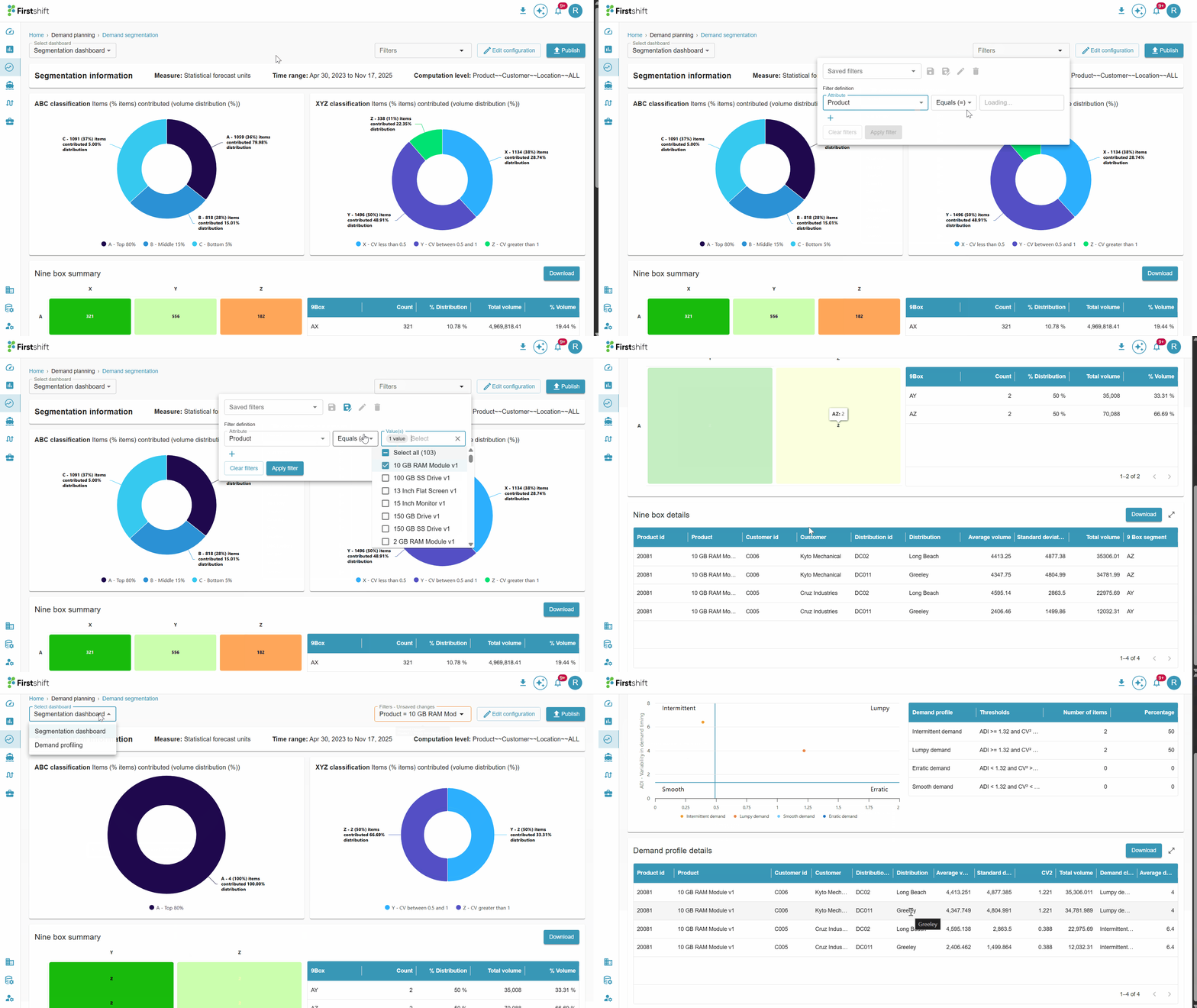
You can use a custom filter when you want to define filtering criteria manually.
Steps:
- Select the required attributes and items directly from the filter panel.
- After choosing the criteria, click the Apply Filter button.
- The results page refreshes to show only the data that matches your selected conditions.
2: Saved Filters
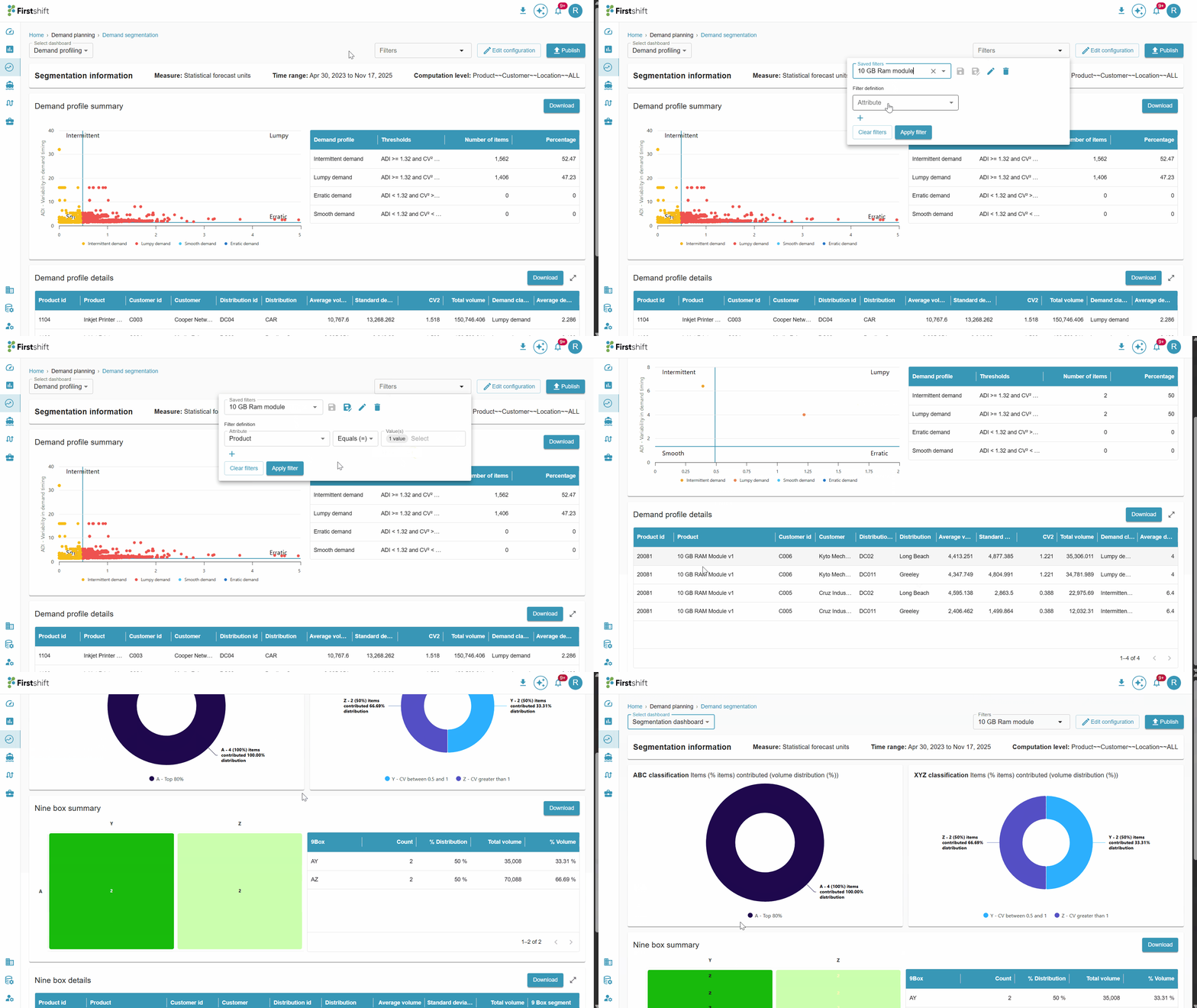
Saved filters allow you to reuse previously configured filter criteria.
Steps:
- Open the Saved Filters dropdown.
- The dropdown displays a list of all filters saved.
- Select the desired saved filter to view its associated attributes and items.
- Click the Apply button to apply the selected saved filter to the results.
- The page updates to reflect the filtered dataset.
Was this article helpful?
That’s Great!
Thank you for your feedback
Sorry! We couldn't be helpful
Thank you for your feedback
Feedback sent
We appreciate your effort and will try to fix the article