TABLE OF CONTENTS
Overview
Edit NPI Plan
The Edit NPI Plan feature allows you to update an existing New Product Introduction (NPI) plan configuration to reflect changes in business requirements, product information, or planning assumptions.
The entire NPI configuration is editable in the edit NPI plan page.
Steps
Navigate to the NPI Planning module and click the edit button for the specific NPI Plan.
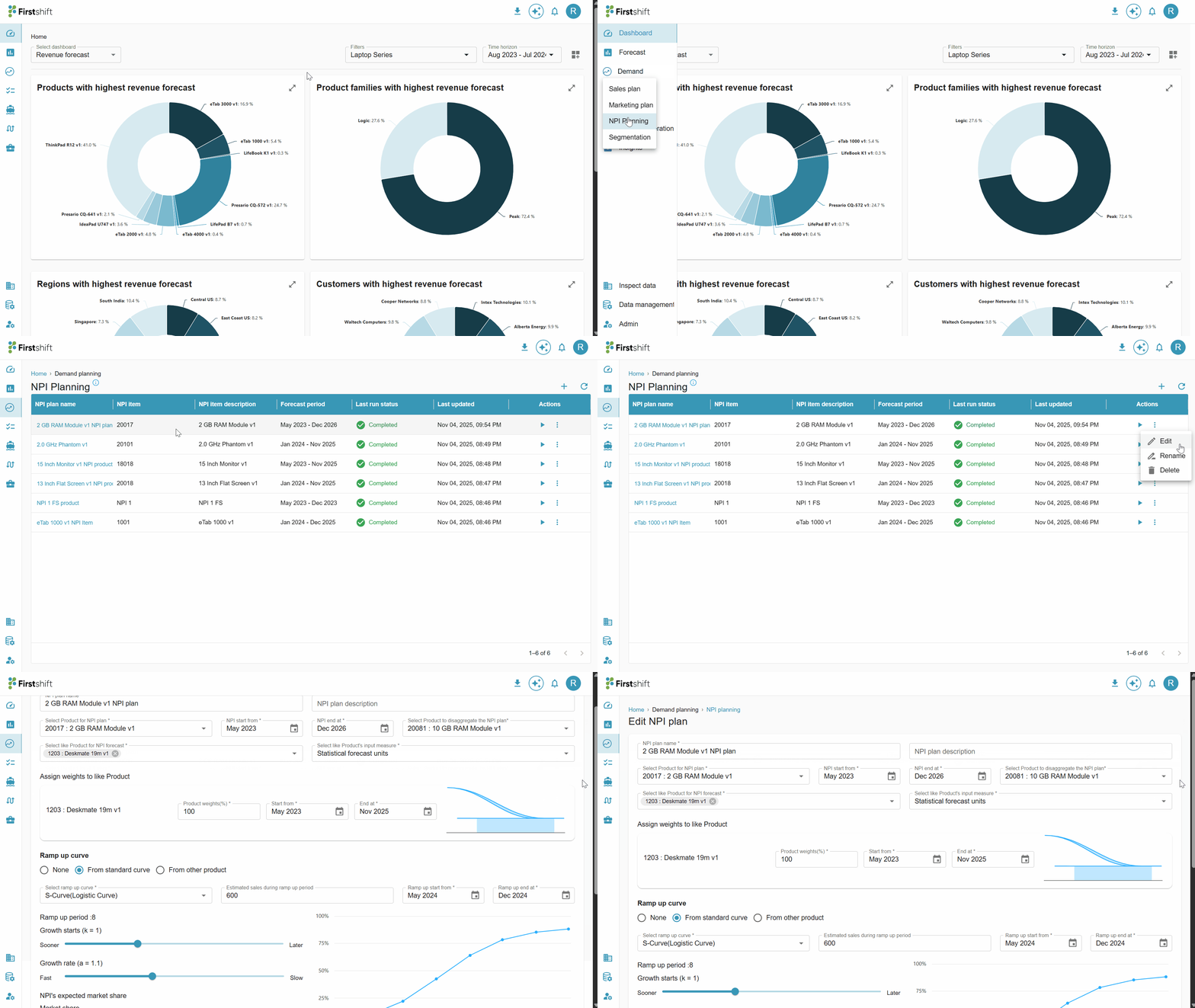
This will take you to the edit page, where you can change the NPI configuration.
Once the required fields have been updated, click the Save button.
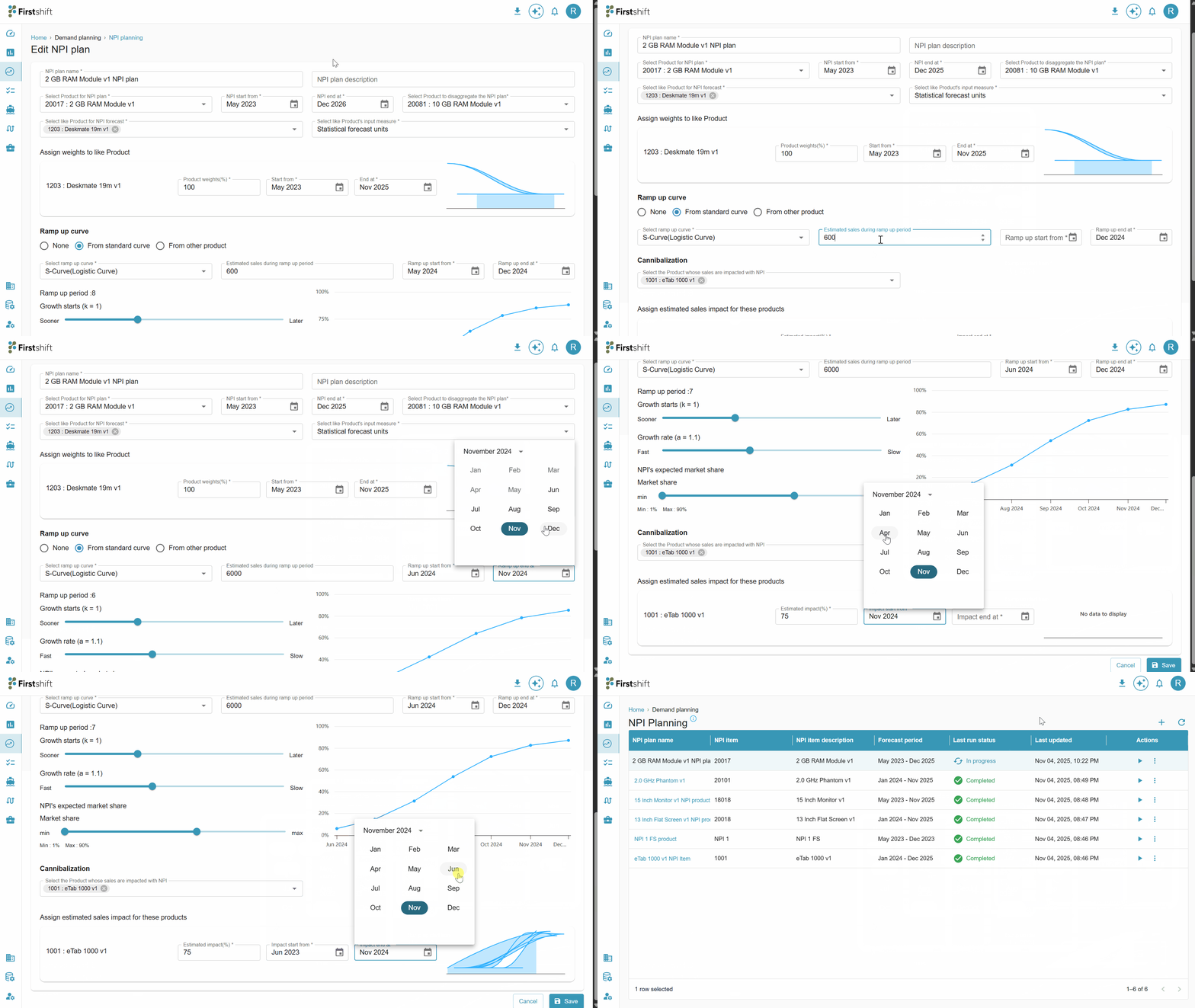
You can also navigate to the NPI Edit page directly from the Results screen by clicking the Edit Parameters button.
This provides a quick way to make adjustments without returning to the main NPI plan list.
When you click Edit Parameters, the system opens the selected NPI plan in edit mode, allowing you to review and modify key configuration details.
To edit the existing NPI plan, you have to click on the edit button.
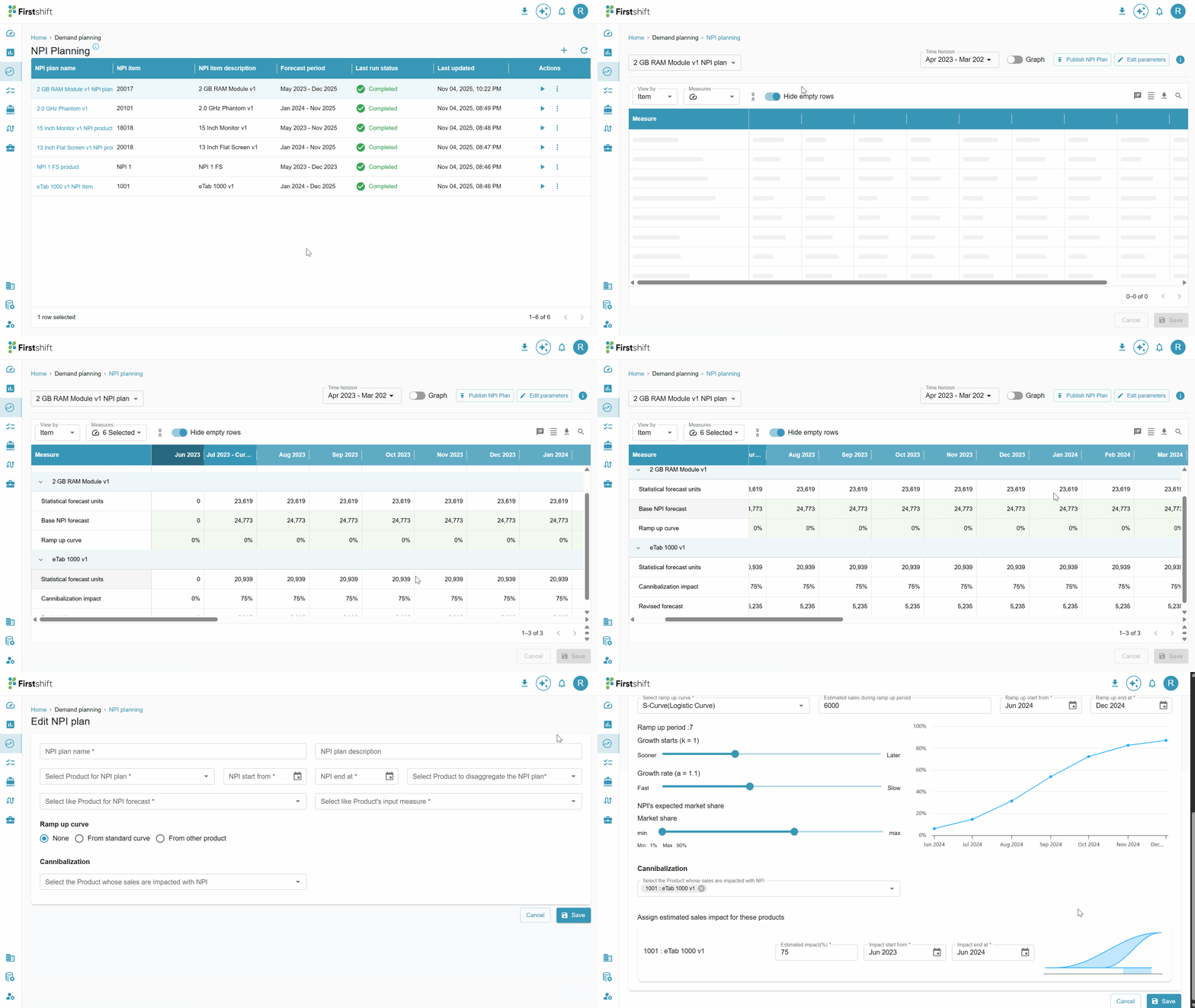
Once you have made all the changes, click the save button to apply and store the modifications. You can also click cancel to terminate the action.
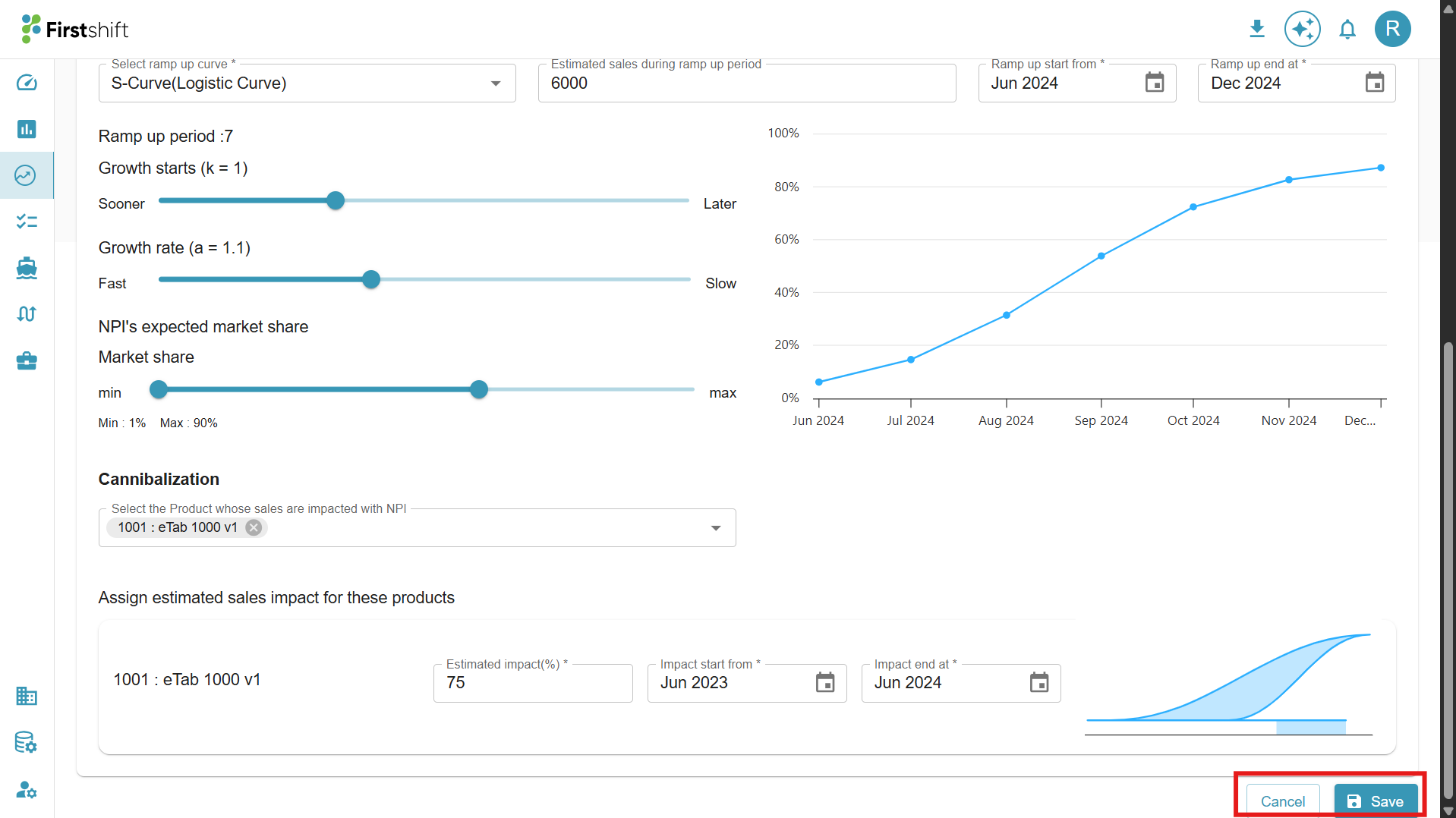
Clicking the save button will store all the changes made to the NPI plan. After clicking the save button, the NPI plan will run automatically.
Re-run NPI Plan
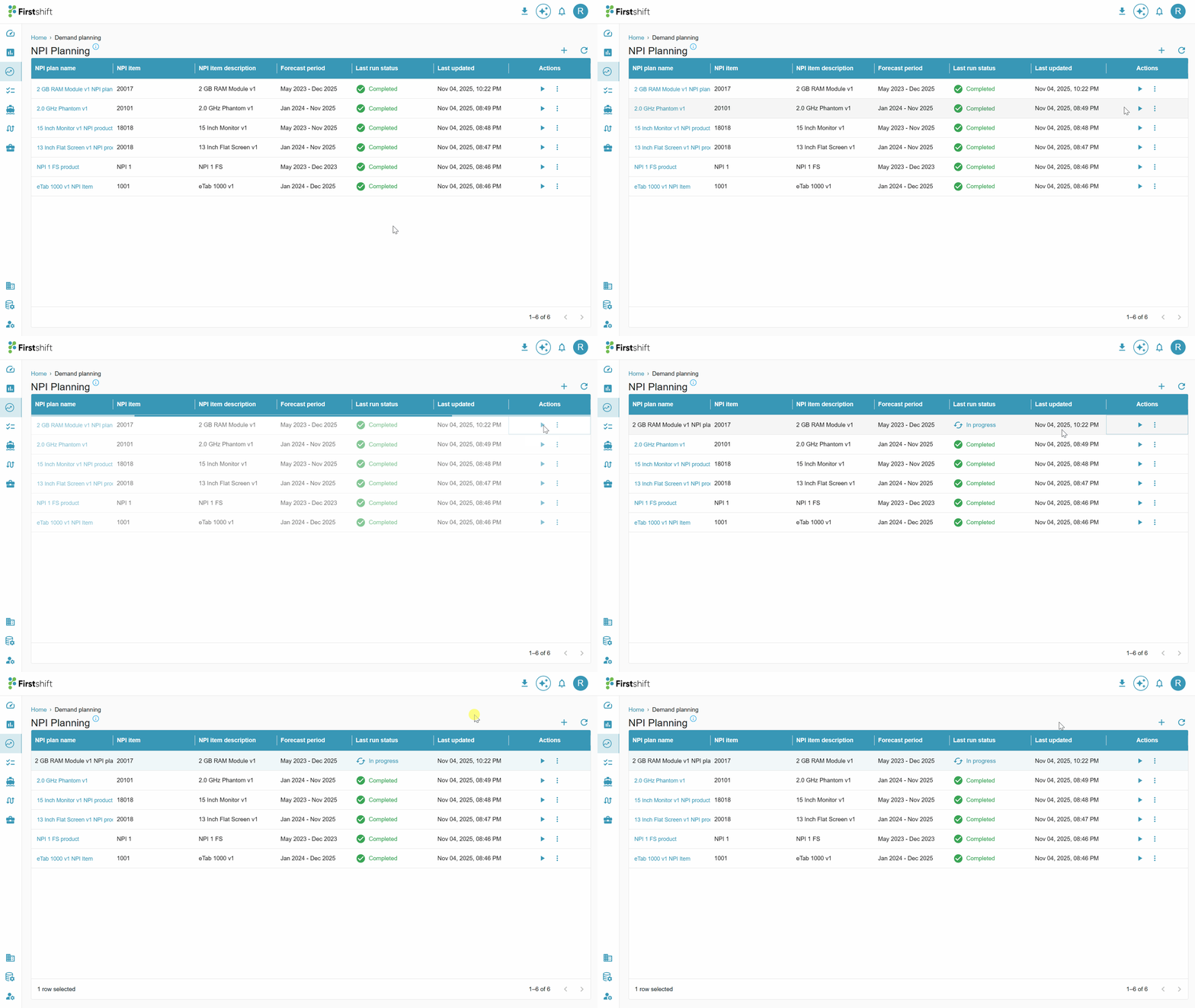
The Re-run NPI Plan function allows users to re-execute the NPI plan after updating or correcting plan inputs, configuration parameters, or related product attributes.
The status of the NPI plan will be changed from “completed” to “In progress.”
Check the illustration below to re-run the NPI plan.
Was this article helpful?
That’s Great!
Thank you for your feedback
Sorry! We couldn't be helpful
Thank you for your feedback
Feedback sent
We appreciate your effort and will try to fix the article