TABLE OF CONTENTS
- Overview
- Available external influence factors
- Where the data comes from
- How often the data is updated
- Get external influence factors enabled for your tenant
- Related articles
Overview
External influence factors are market numbers, such as the economy, prices and spending, that you can add to a forecast. FirstShift collects them from public sources and keeps them up to date, so you never upload anything. The values are the same for every item and for every tenant that uses them. You can use them in a forecast, but you can't change them.
Not every tenant sees all of them. An external factor is available to you only after your FirstShift implementer enables it for your tenant, and this is done only when you ask for it.
Available external influence factors
| Factor | What it shows | Source | How often FirstShift gets the data |
|---|---|---|---|
| Consumer Price Index | How consumer prices change over time | FRED | Weekly |
| Gross Domestic Product | The size of the economy | BEA | Monthly |
| Industrial Production | How much industry produces | FRED | Weekly |
| Labor Market and Wages | Employment and earnings | FRED | Weekly |
| Oil / Gas Prices | The price of oil and gas | EIA | Daily |
| Raw Material Costs | What producers pay for raw materials | FRED | Weekly |
| Real Disposable Personal Income | The income people have left to spend | BEA | Weekly |
| Residential Real Estate Market | The activity in the housing market | Census | Weekly |
| Retail Sales | How much people spend in shops | Census | Weekly |
| Strength of the Dollar | The value of the US dollar against other currencies | FRED | Daily |
| Trade Balance | Exports compared with imports | Census | Weekly |
Where the data comes from
FirstShift gets the data from four public sources:
- BEA (U.S. Bureau of Economic Analysis): apps.bea.gov
- Census (U.S. Census Bureau): api.census.gov
- EIA (U.S. Energy Information Administration): api.eia.gov
- FRED (Federal Reserve Economic Data): api.stlouisfed.org
How often the data is updated
- FirstShift checks each source for new values automatically. The table above shows how often: daily, weekly or monthly.
- You don't need to refresh anything.
- A source only publishes values up to its latest period. For the future months of your forecast, FirstShift works out the factor values. See View the impact of influence factors in forecast results to learn how.
Get external influence factors enabled for your tenant
Ask your FirstShift implementer
Tell them which factors you want. They enable them for your tenant. This is only done on request.
Find them when you create a forecast
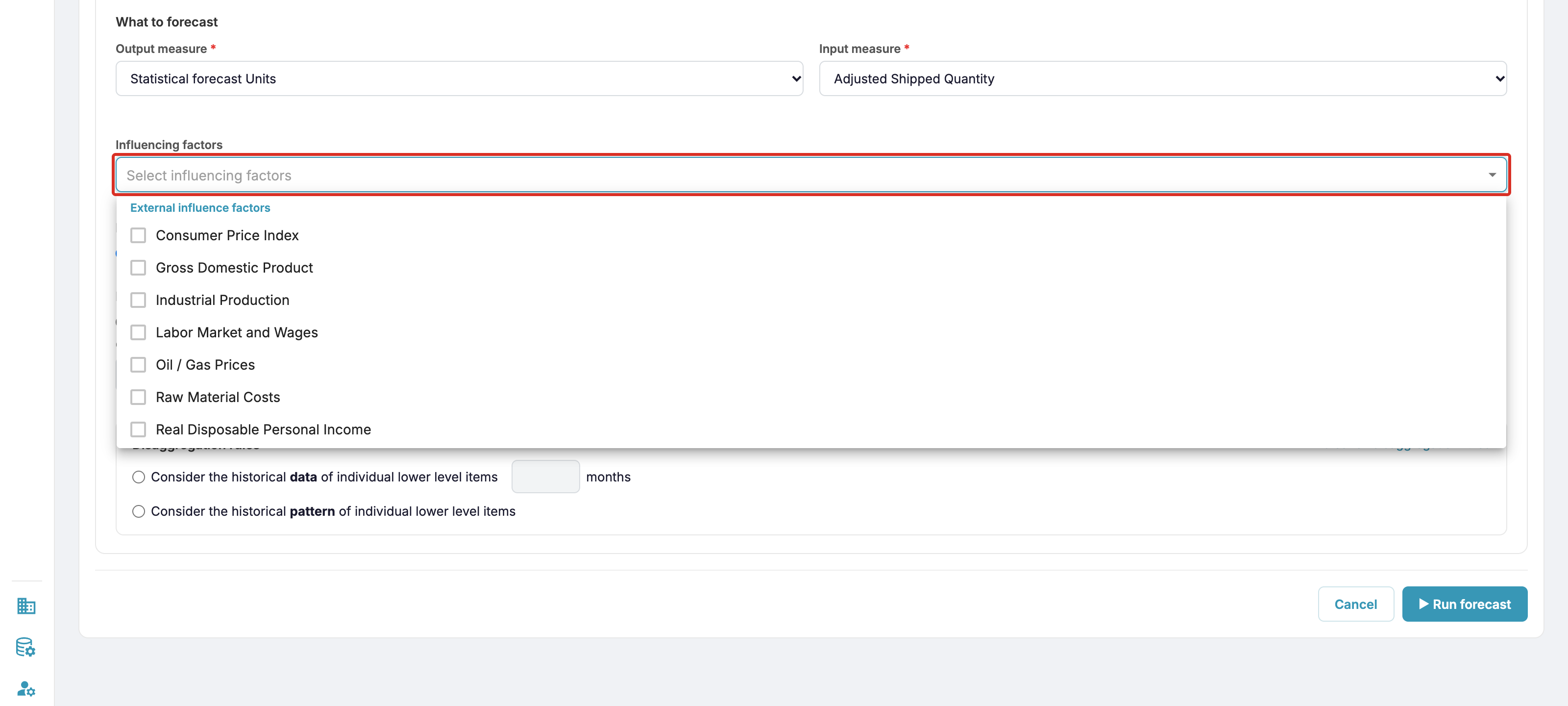
Once enabled, they appear under External influence factors in the Influencing factors list. If you don't see one, it isn't enabled yet.
Related articles
Was this article helpful?
That’s Great!
Thank you for your feedback
Sorry! We couldn't be helpful
Thank you for your feedback
Feedback sent
We appreciate your effort and will try to fix the article