TABLE OF CONTENTS
Overview
After a segmentation is created, you can access its results to review detailed analytics. One key component of the results view is the Nine-Box Summary, which provides a visual breakdown of segmentation performance across predefined dimensions (such as value and volume, or similar criteria).
This summary helps you quickly assess how items are distributed within the nine categories, enabling better decision-making and prioritization based on segmentation outcomes.
Segmentation Results
Accessing Segmentation Results
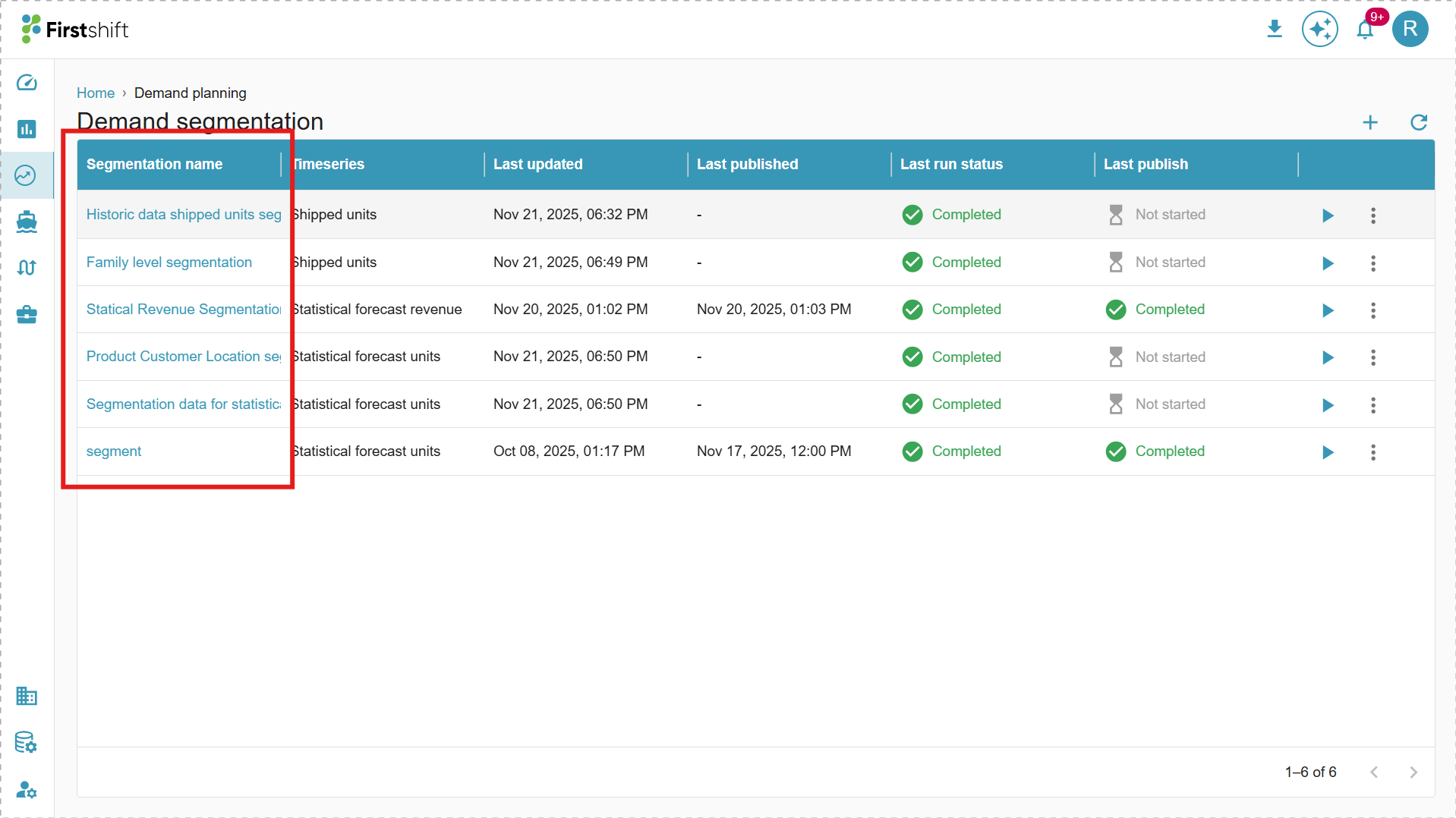
To view the results of a created segmentation, click on its Segmentation Name.
This action opens the Segmentation results screen, where you can review and analyze the results from the segmentation run.
By default, the Segmentation Dashboard will be displayed. It includes:
ABC Classification
XYZ Classification
Nine-Box details
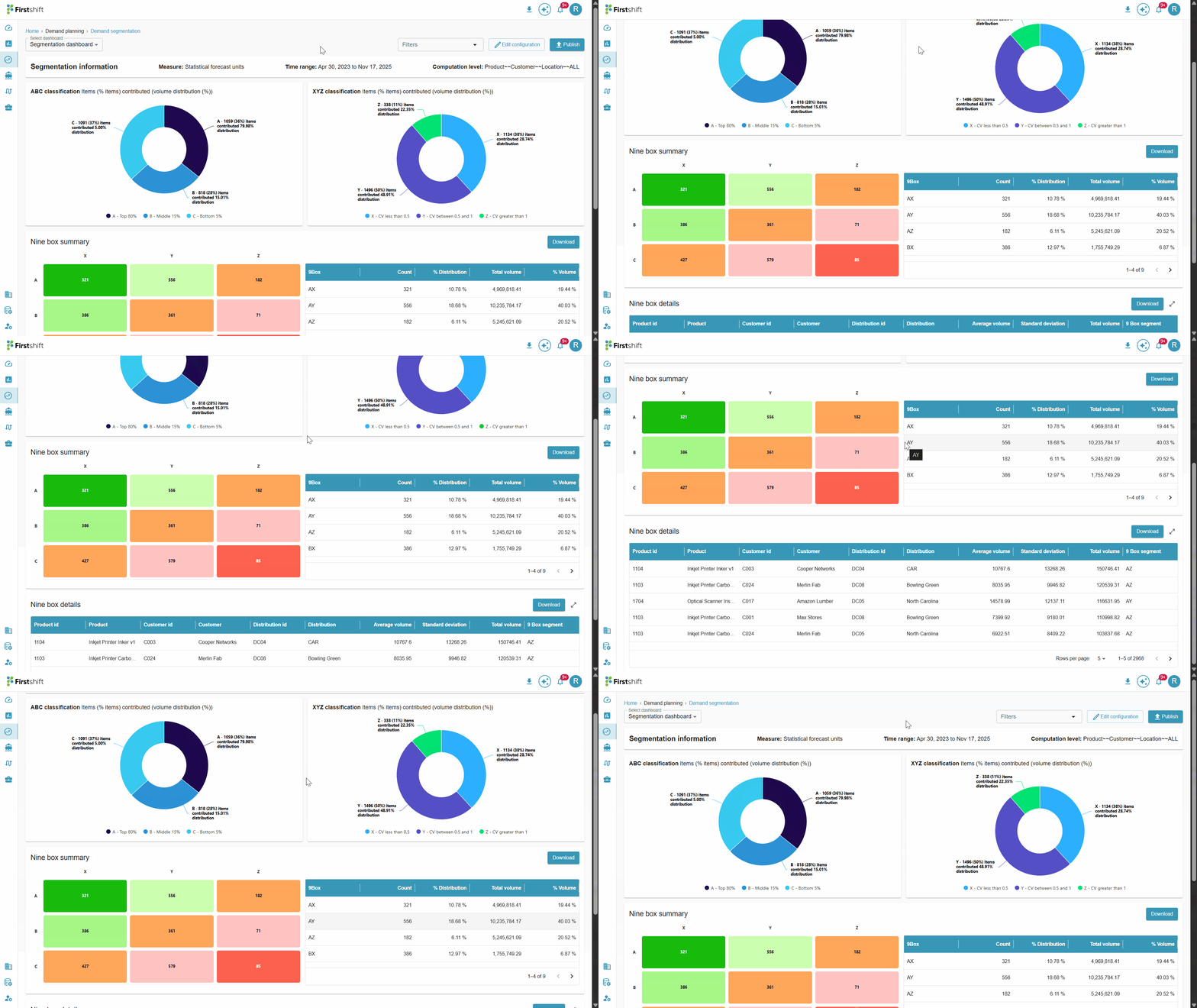
The dashboard provides detailed insights into the segmentation configuration and results, including key attributes such as:
Measure
Time Range
Computation Level
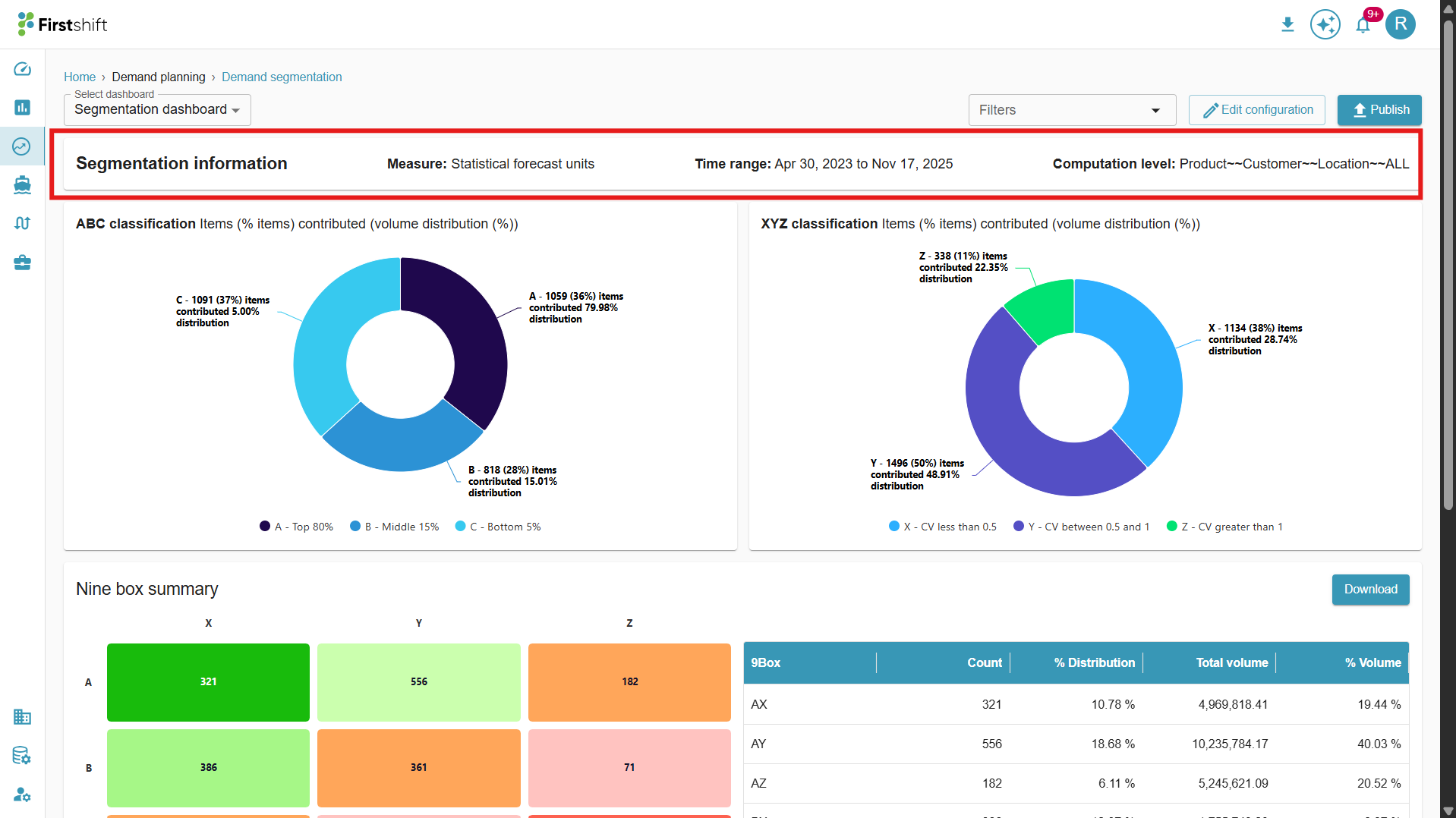
ABC classification (Graph)
The ABC classification in the donut chat categorizes items based on their contribution to the total volume distribution. This method helps classify planning items into three categories. Let’s consider the above example.
Category A (Top 80%)
1513 items (51%) contribute 79.98% of the total volume.
These are the most essential items, representing the highest total sales and revenue contribution.
In the case of inventory, these items require close monitoring and efficient stock management.
Category B (Middle 15%)
878 items (29%) contribute 15.02% of the total volume.
These are moderately essential items with a decent contribution to total sales and revenue.
In the case of inventory, these items require balanced inventory control and replenishment strategies.
Category C (Bottom 5%)
589 items (20%) contribute only 5.00% of the total volume.
These are low-priority items, contributing minimally to overall sales.
Requires less frequent restocking, and some may be considered for discontinuation.
This classification helps businesses focus on high-value items (A) while maintaining a cost-effective inventory management approach for lower-value items (B & C).
XYZ classification
XYZ classification analyzes demand variability based on the Coefficient of Variation (CV), which measures fluctuations in demand. It helps in inventory planning by categorizing items based on their predictability.
From the above screenshot example, the items are classified into three categories:
Category X (Stable Demand, CV < 0.5)
1,136 items (38%) contribute 51.66% of the total volume.
These items have a low variation in demand, meaning they are highly predictable.
Recommended for regular replenishment and stock optimization.
Category Y (Moderate Demand Variability, CV between 0.5 and 0.75)
12 items (0%) contribute 0.20% of the total volume.
These items have a moderate level of demand fluctuation.
Requires closer monitoring and flexible inventory strategies.
Category Z (High Demand Variability, CV > 0.75)
1,832 items (61%) contribute 48.14% of the total volume.
These items have high demand uncertainty, making them unpredictable.
Requires buffer stock, demand forecasting techniques, and risk mitigation strategies.
This classification helps inventory control, demand forecasting, and supply chain efficiency by focusing on demand stability.
Nine-Box Summary
The Nine-Box Summary offers a combined view of the ABC and XYZ classifications, helping you understand both the importance and variability of items within the segmentation.
ABC Classification evaluates items based on contribution to revenue or volume.
XYZ Classification determines how stable or variable the demand is for each item
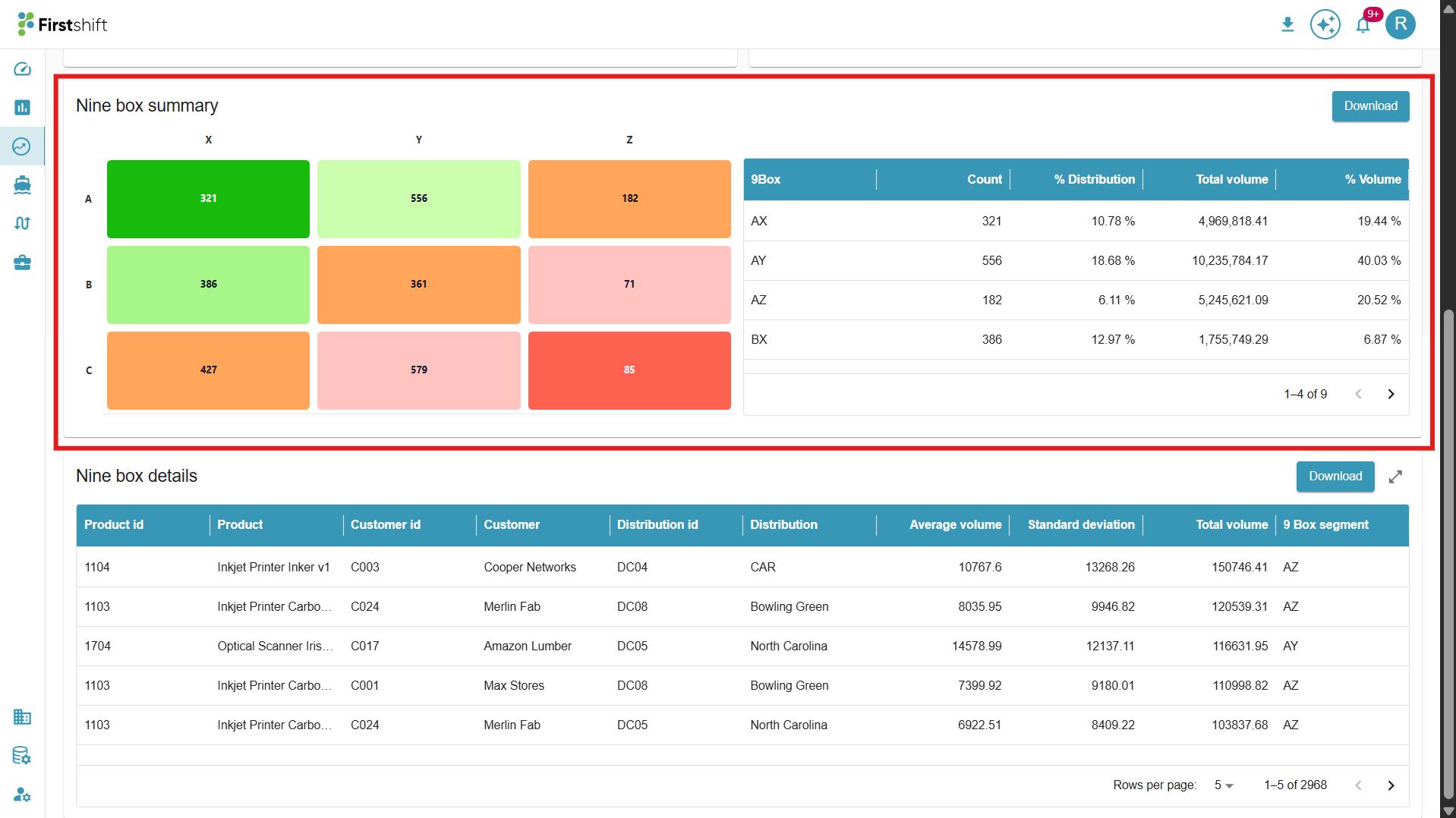
When combined, these dimensions create nine distinct categories, allowing planners to quickly identify high-value/high-stability products, low-value/high-variability products, and more.
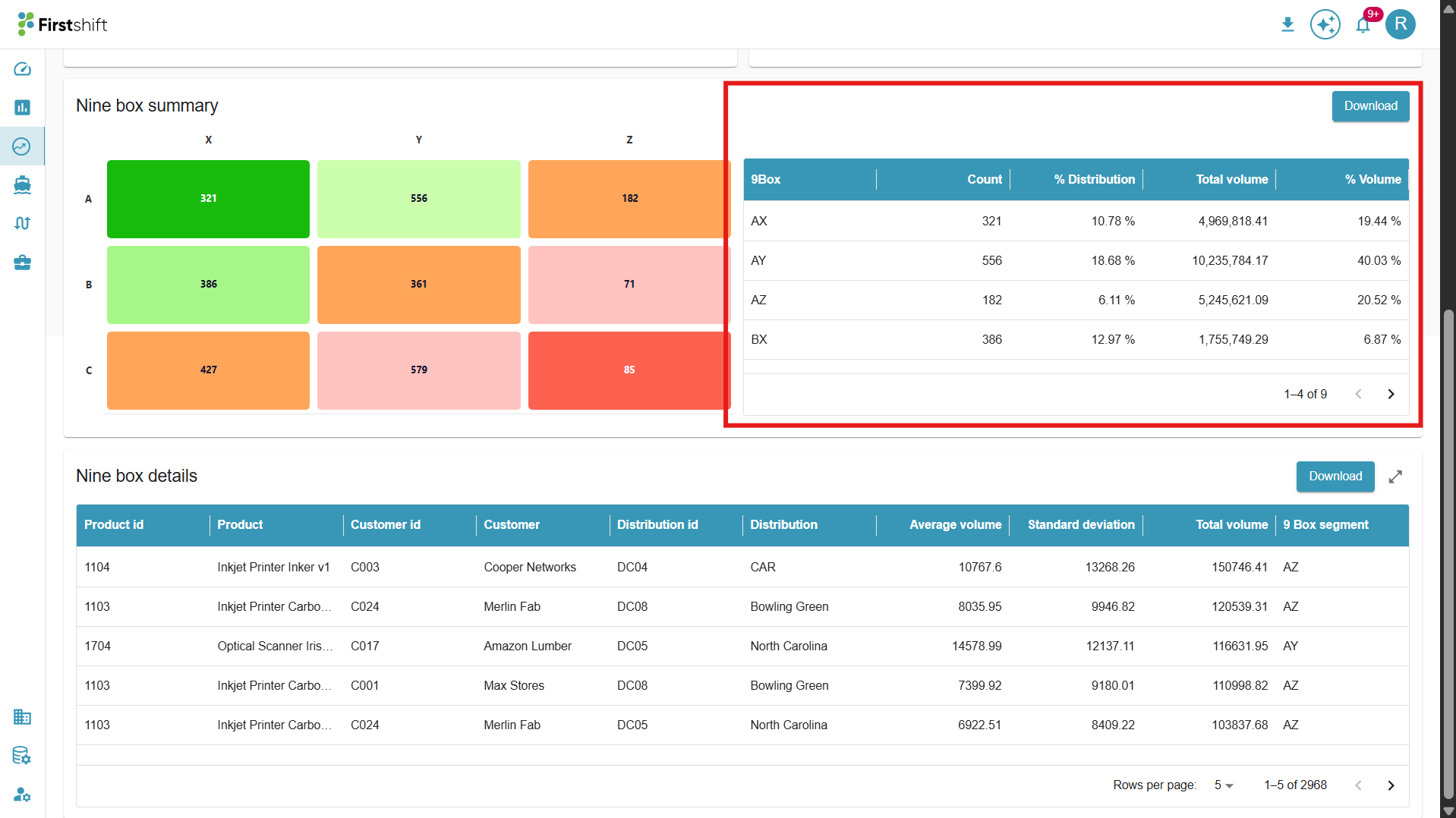
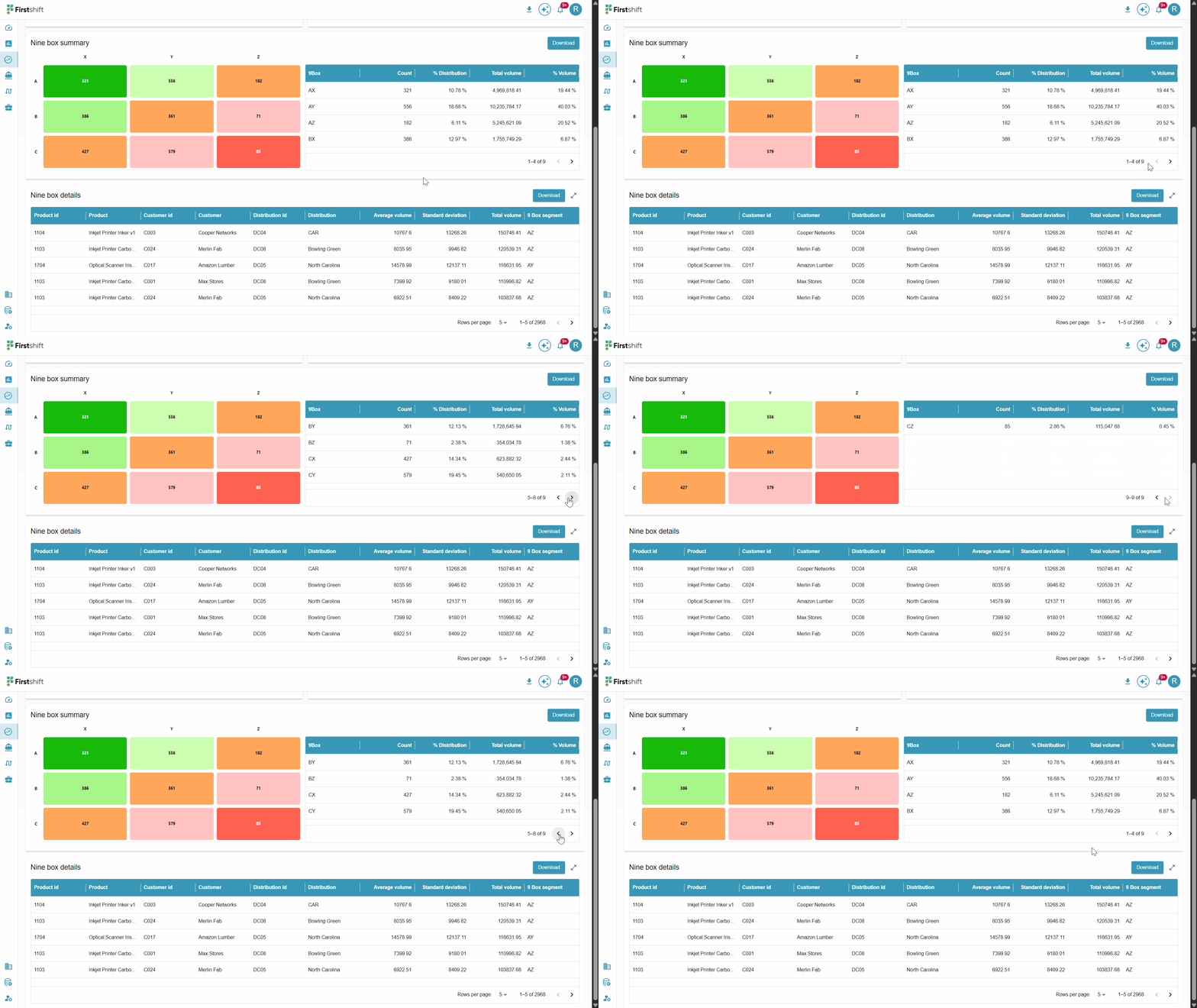
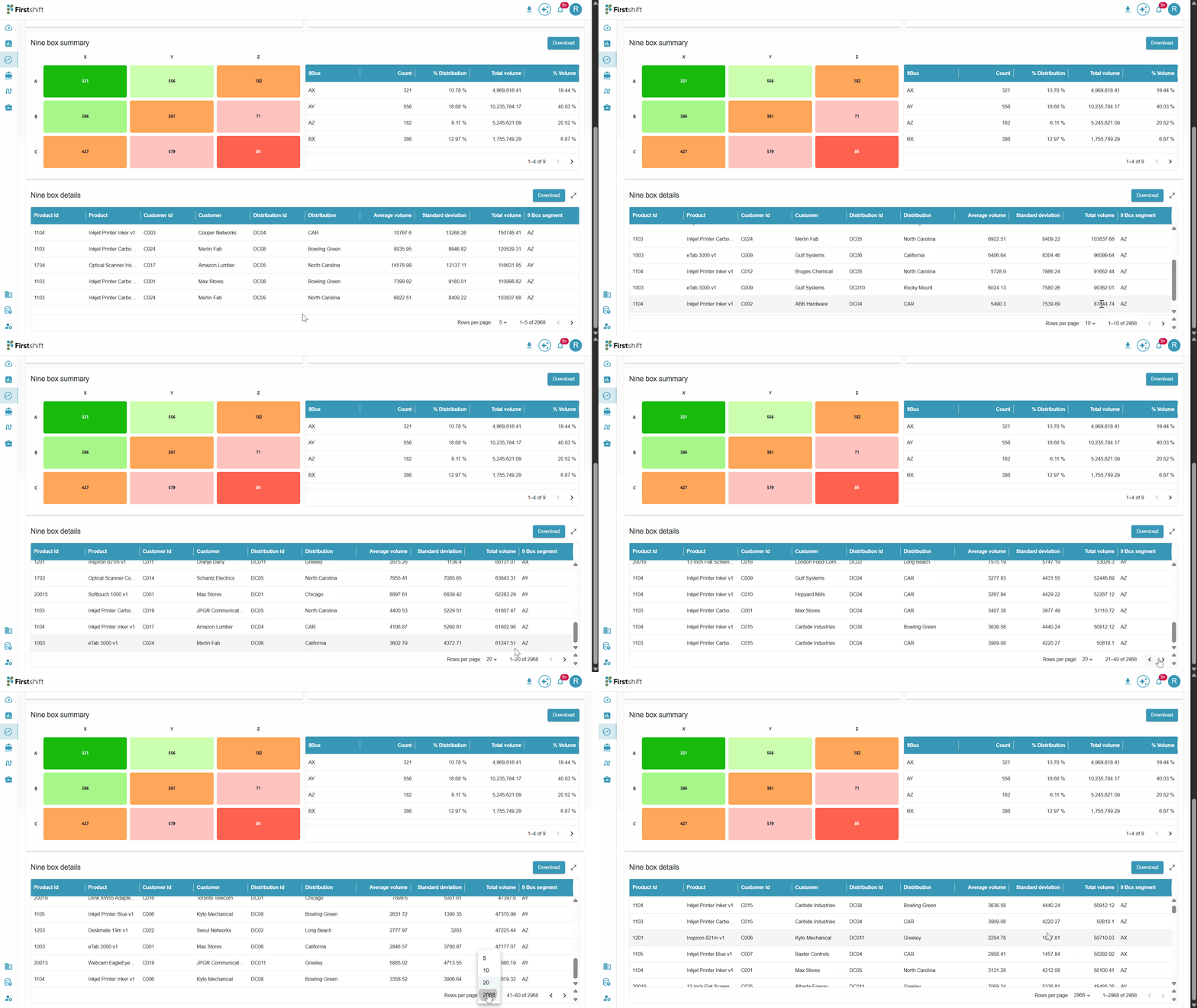
By default, the Nine box summary table will show only four records. Click the arrow button to see the other records of the nine-box summary.
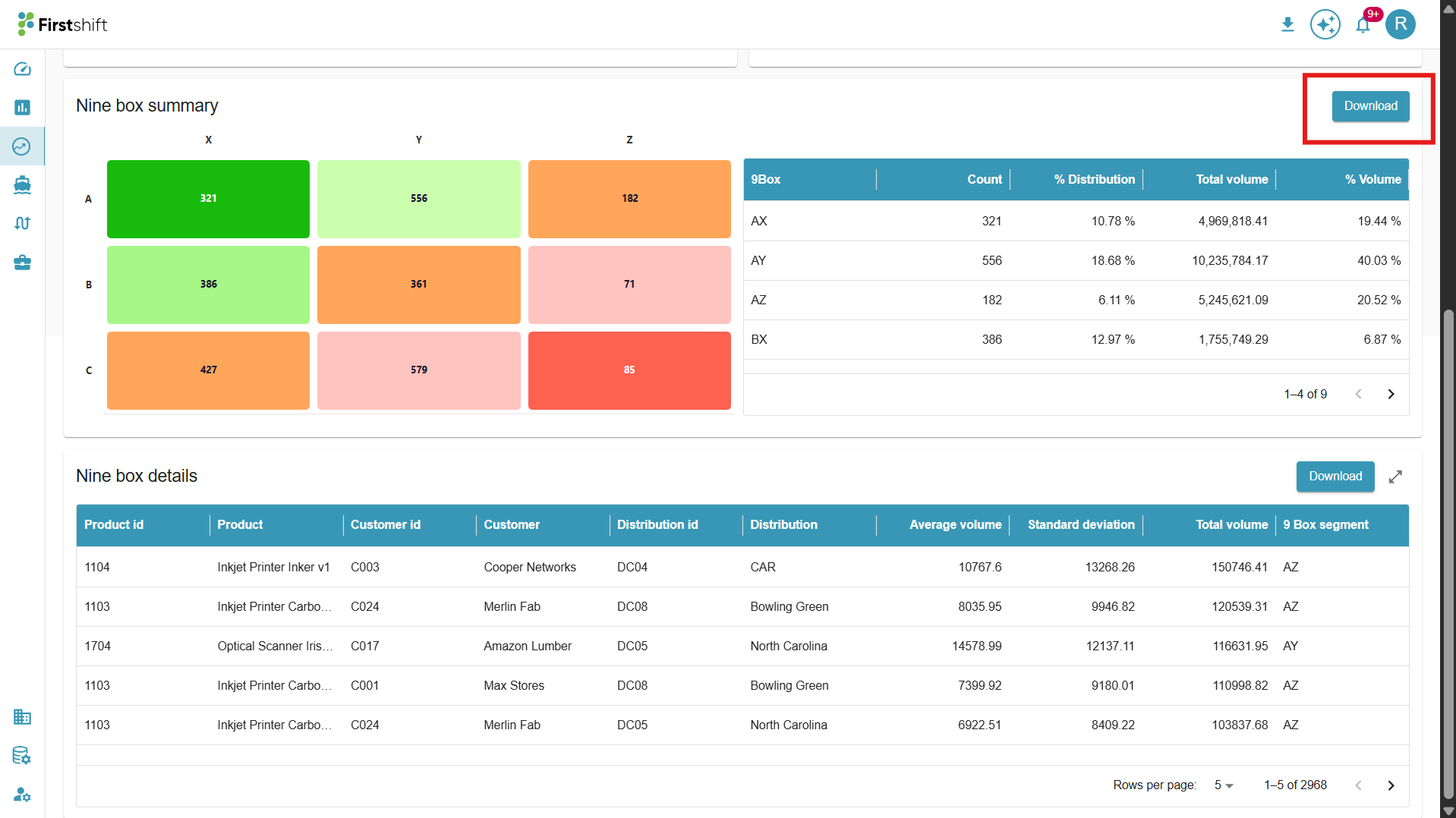
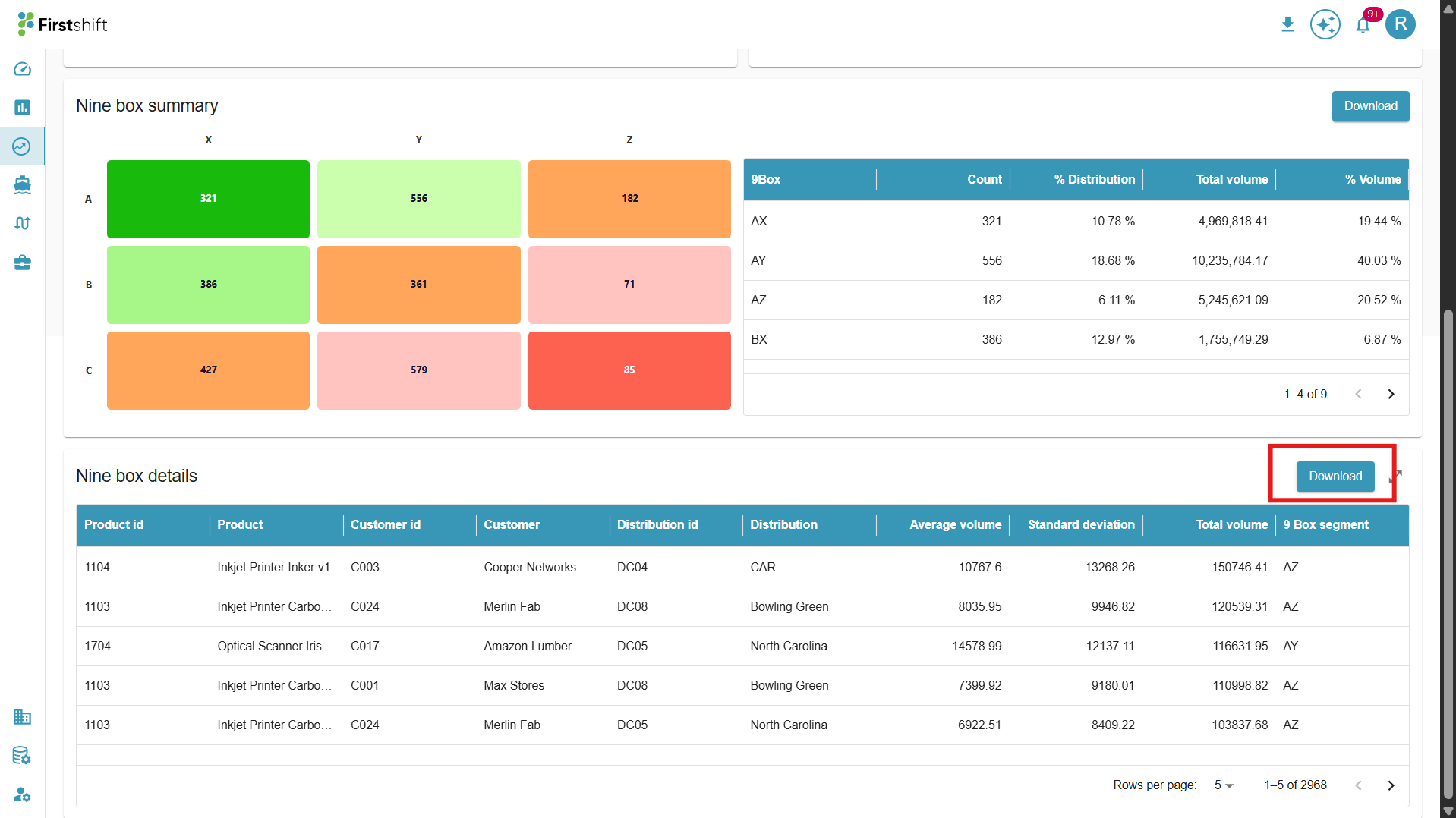
For additional analysis or reporting, you can download the Nine-Box Summary table using the Download button.
Key Highlights
The nine-box output is presented as a heat map, representing the number of products in each segment.
It is also displayed in table format, where additional metrics are calculated for each segment, such as:
Average Volume
Standard Deviation
Total Volume
The table headers dynamically update based on:
The selected hierarchy level
The ID description column
Example: If the selected hierarchy is Product: Customer: Location: All, the first column of the table will display the corresponding details at the product, customer, and location levels.
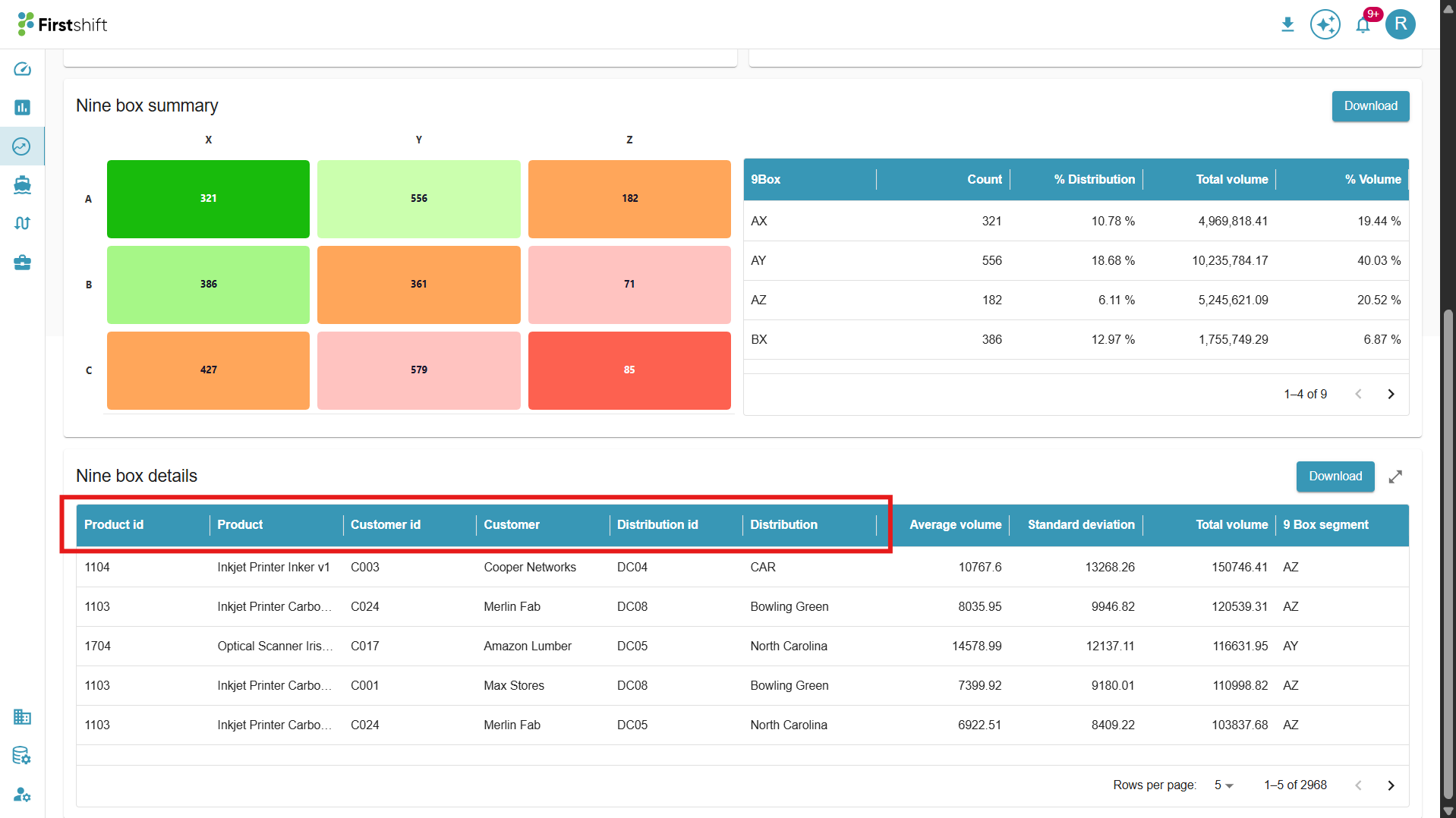
You can also view the detailed Nine-Box classification in a table format, which includes information such as:
Average Volume: This represents the average number of units sold over a specified period, providing insights into the overall demand trend for a product or category.
Standard Deviation: Standard Deviation measures the variability or fluctuation in sales volume over a given period.
A higher standard deviation indicates inconsistent or unpredictable demand, meaning sales numbers vary significantly.
A lower standard deviation suggests stable demand with constant sales numbers.
Total Volume: Total Volume represents the total quantity of units sold over the selected period.
It provides insight into the overall sales contribution of a product or category.
Higher total volume indicates high-selling products, while lower total volume may highlight low-demand or niche products.
This metric helps evaluate product performance, set inventory levels, and make strategic decisions in demand planning.
Nine-Box Segment for each selected item individually.
Rows per page: By default, five is the selected number for the rows to appear in the table. The rows per page value can be changed by clicking the number dropdown, as shown below.
 You can also download the Nine-box details by clicking the download button for further analysis of the segment data.
Was this article helpful?
That’s Great!
Thank you for your feedback
Sorry! We couldn't be helpful
Thank you for your feedback
Feedback sent
We appreciate your effort and will try to fix the article