TABLE OF CONTENTS
Overview
This article explains how to delete a segmentation and outlines what happens after the segmentation results are removed.
Delete segmentation
You can delete a segmentation by clicking on the Delete icon. This will remove the segmentation from the system. Please ensure that you want to delete it, as this action may not be reversible.
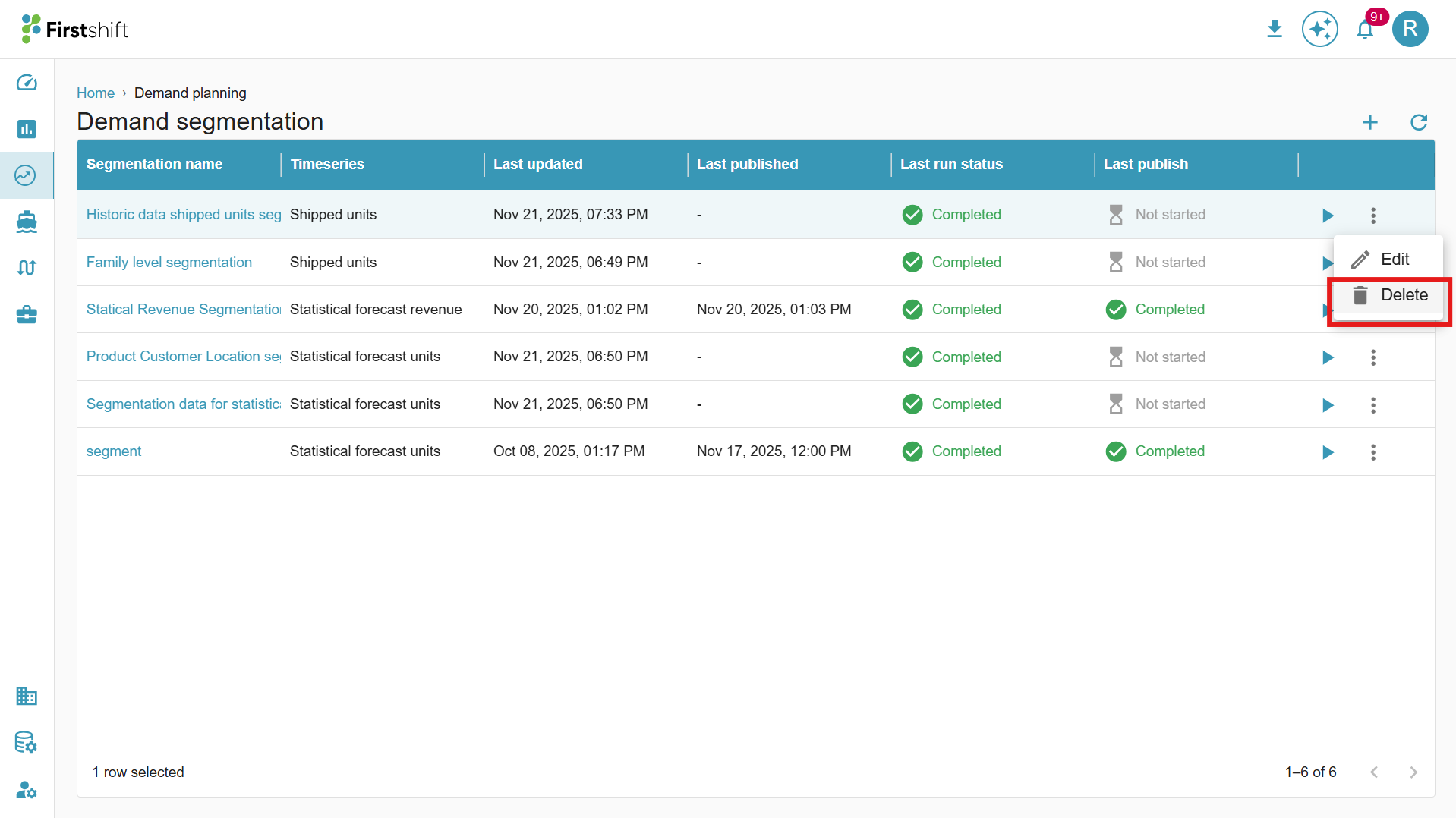
Clicking on the Delete icon will open a popup, giving you the option to confirm whether you want to delete the segmentation or not. You can proceed with the deletion or cancel the action based on your decision.
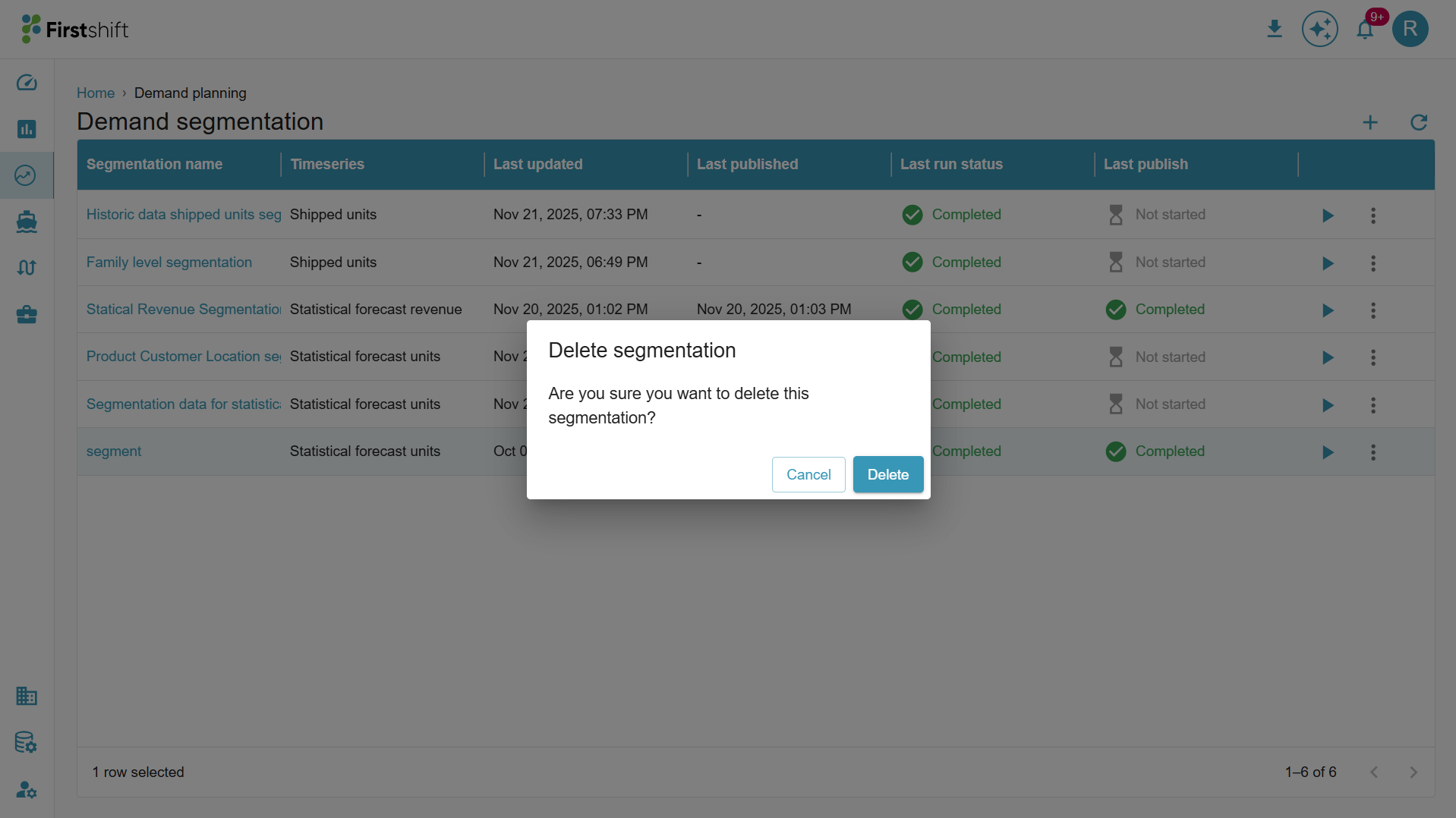
Clicking Delete will permanently delete the segmentation. A confirmation pop-up will appear, indicating that the segmentation has been successfully deleted. The segmentation will then be removed from the list screen.
⚠️ What Happens When a Segmentation is Deleted?
If you or an admin deletes a segmentation from the UI:
- The segmentation run and its results are removed from view immediately
- However, classification labels already published to products/customers remain — you may still see ABC/XYZ codes on items even though the analysis behind them is gone
- No plan values are affected — your forecast, demand plan, and consensus numbers are unchanged
- To clear stale labels, a new segmentation must be run and published
Action: If you notice ABC/XYZ labels on products but no active segmentation exists, flag this to your planning admin — the data may be outdated.
What Should I Do After a Segmentation is Deleted?
- Do not rely on the ABC/XYZ codes visible on products until a fresh segmentation is published
- For inventory or replenishment decisions that depend on segmentation (e.g. safety stock by class), treat classifications as provisional until refreshed
Who Can Delete a Segmentation?
- Any user with the relevant role and permissions assigned by the Customer admin can delete a segmentation.
- Role-based access control governs who can delete. A planner with elevated permissions may also have this ability, depending on how your organization has configured user roles
Was this article helpful?
That’s Great!
Thank you for your feedback
Sorry! We couldn't be helpful
Thank you for your feedback
Feedback sent
We appreciate your effort and will try to fix the article