TABLE OF CONTENTS
Overview
This helps you understand how the created segmentation can be edited and run the segmentation with the latest configuration.
Edit configuration
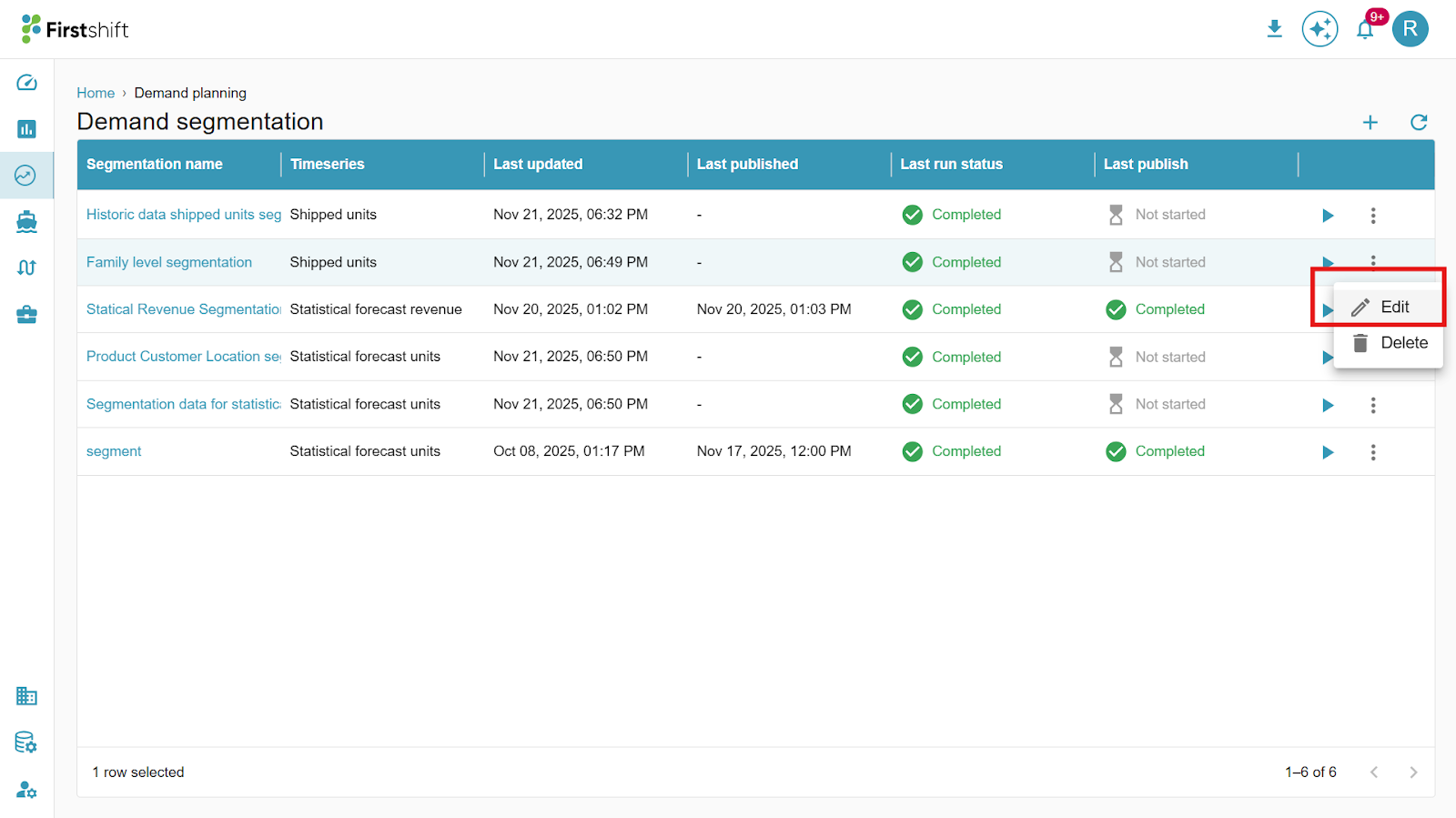
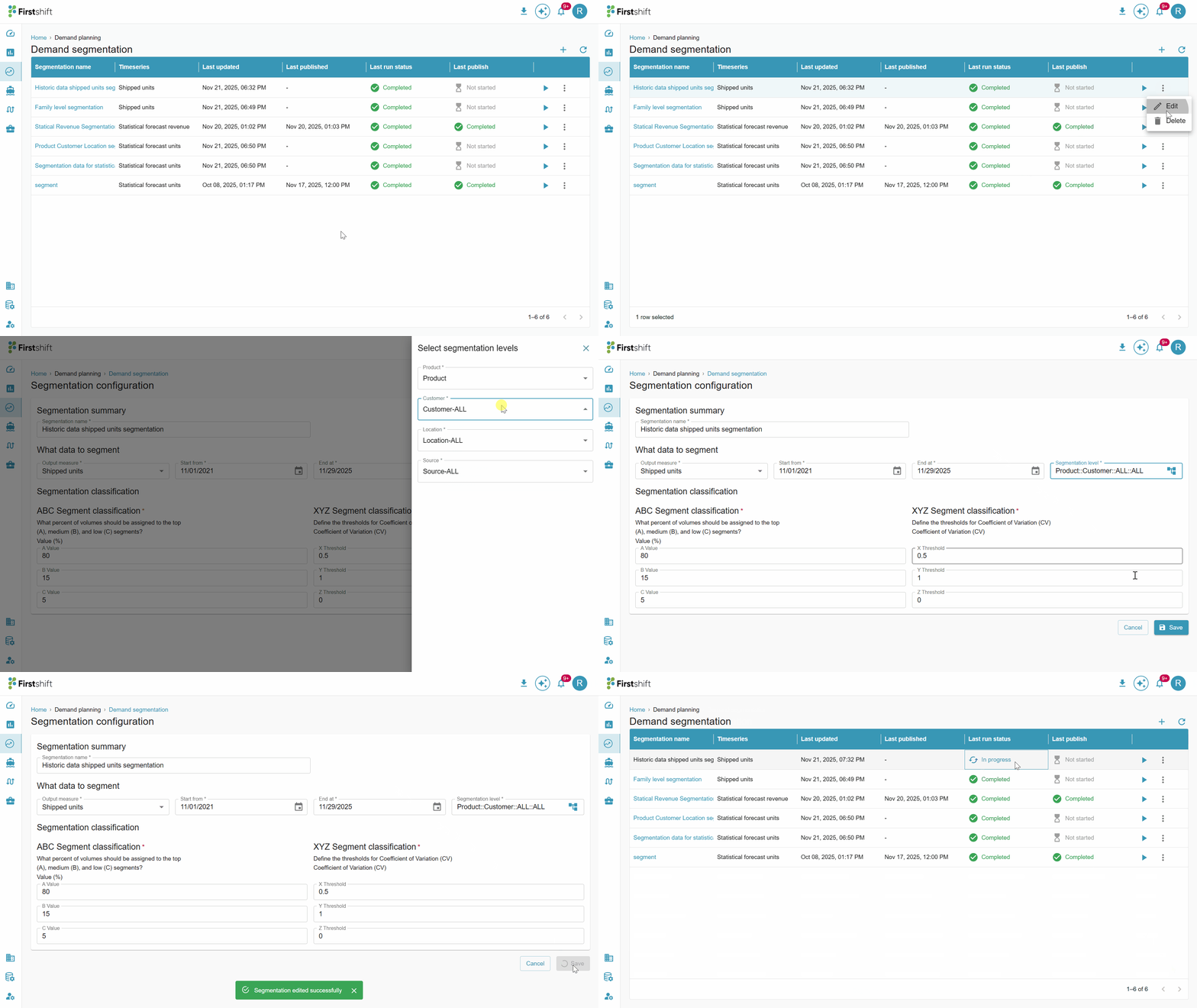
You can edit the segmentation configuration by clicking the edit option on the segmentation list screen, the segmentation dashboard, and the demand profiling page.
You can also edit the segmentation configuration from the segmentation dashboard and demand profiling screens.
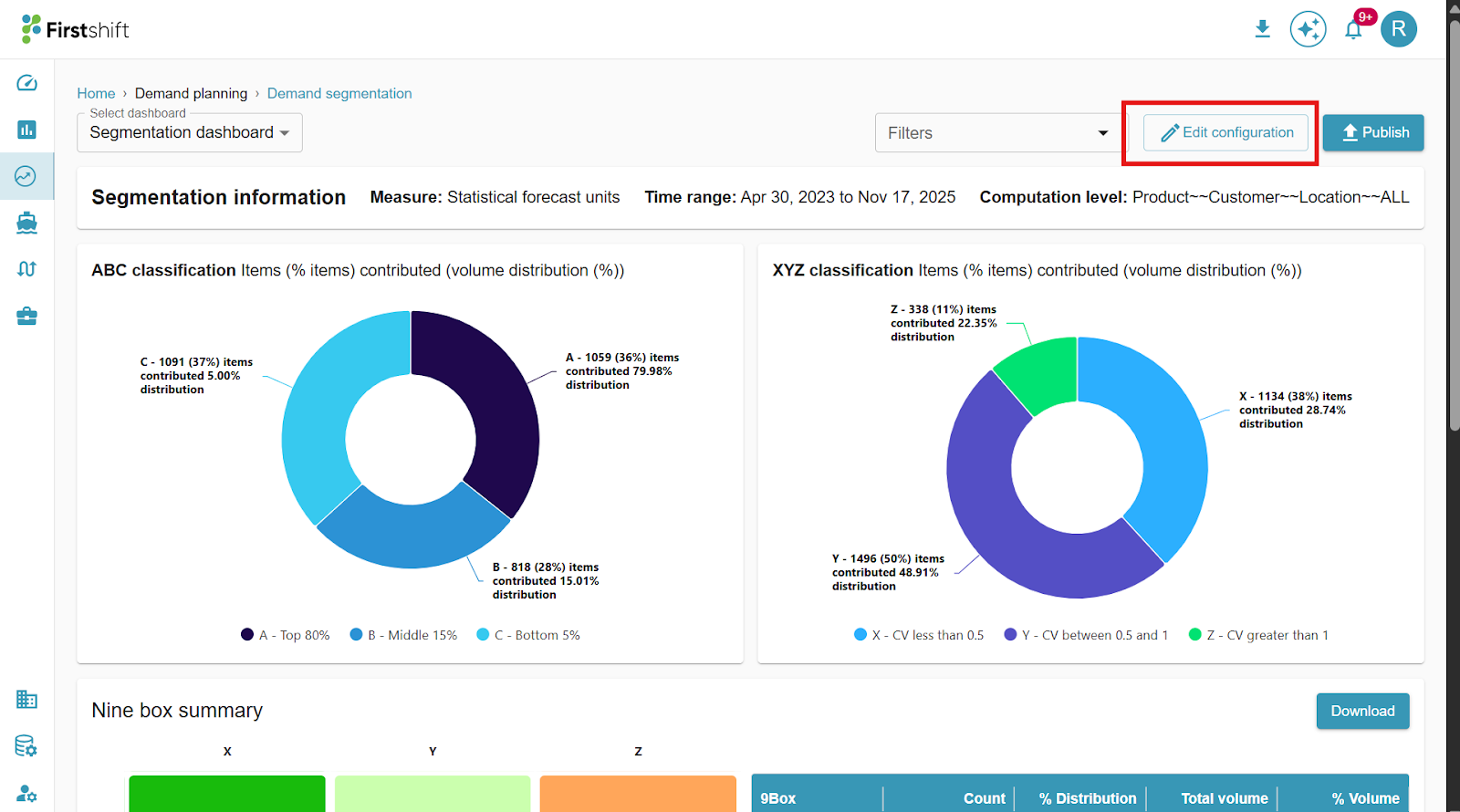
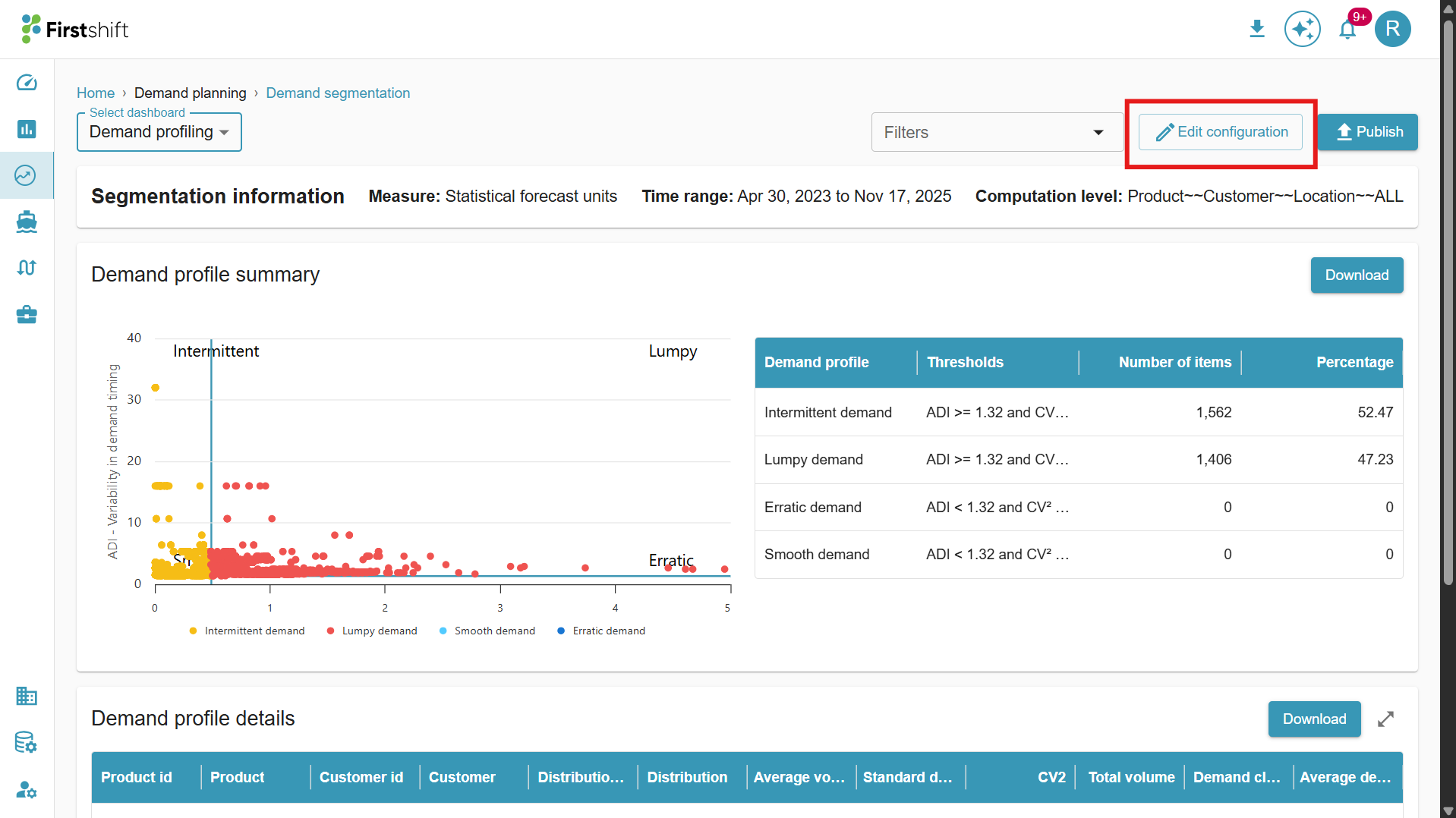
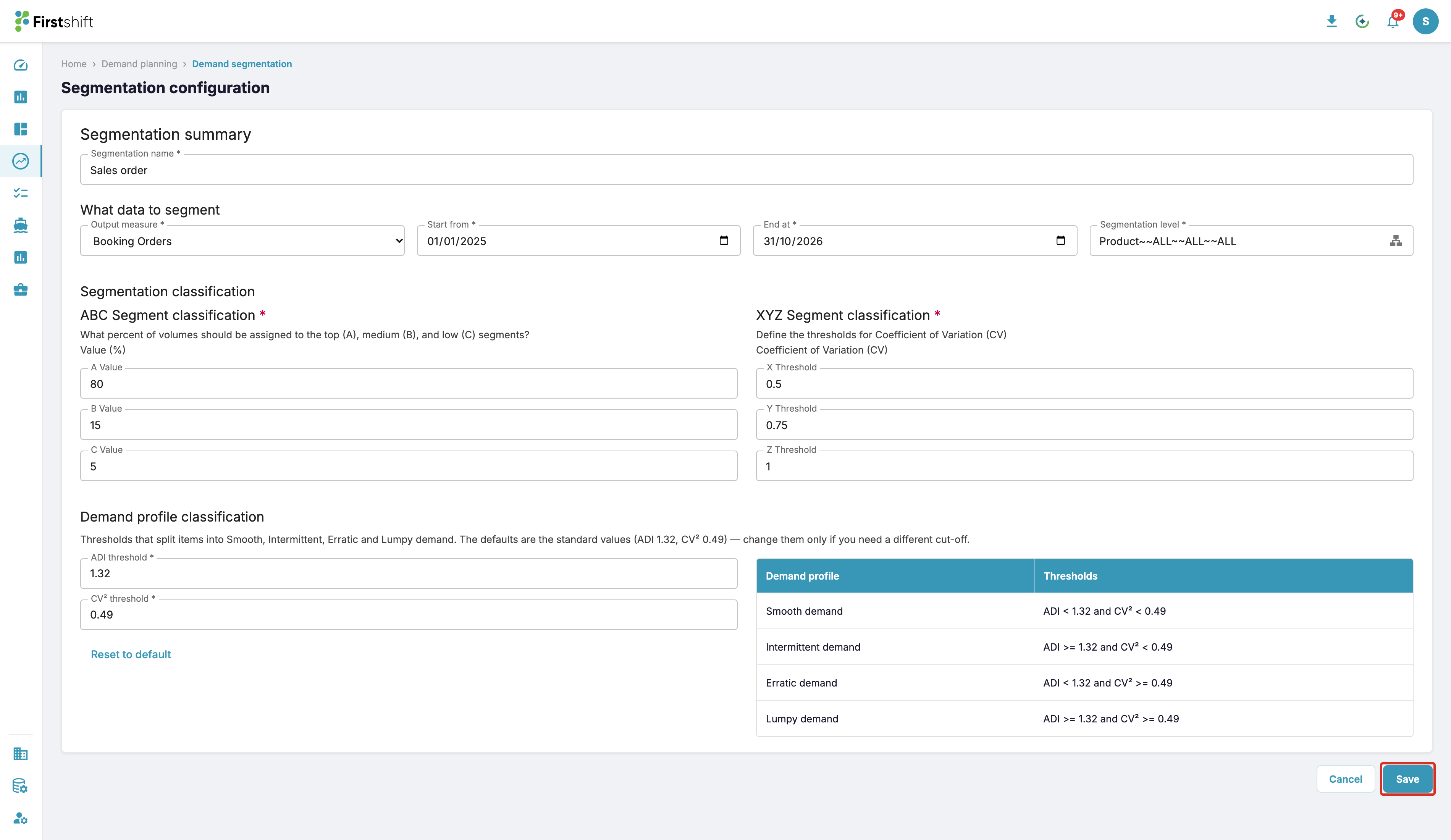
Clicking "Edit Configuration" will navigate you to the Edit Segmentation page, where you can update the name, output measure, start date, end date, segmentation level, the ABC and XYZ classifications, and the demand profile thresholds to suit your requirements.
The demand profile thresholds are the ADI and CV² numbers that decide whether each item is Smooth, Intermittent, Erratic or Lumpy. You can change them on this screen. If you want to go back to the standard values, click "Reset to default".
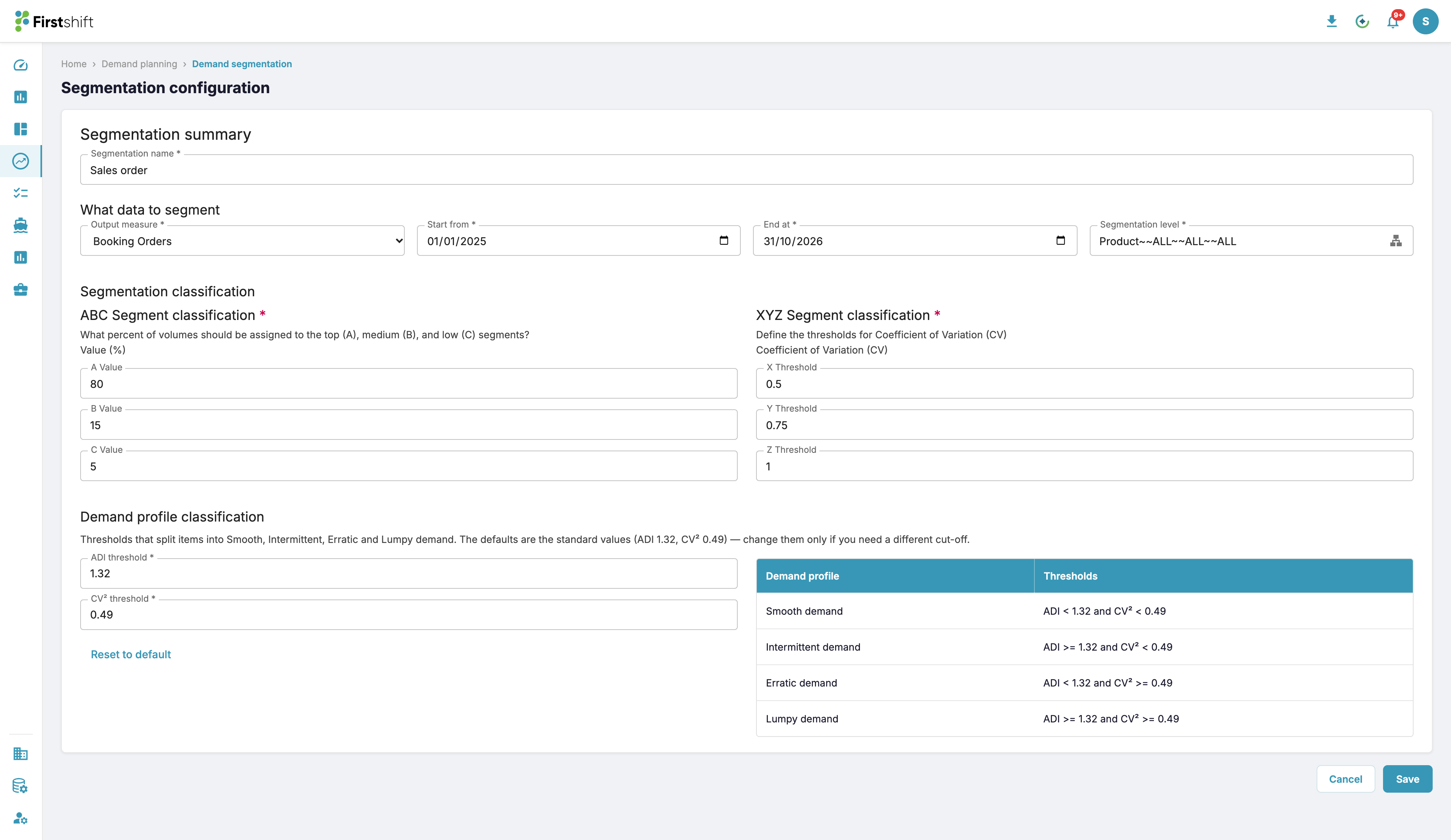
After making changes to the segmentation classification, clicking the "Save" button will save the updated configuration.
Re-run the segmentation
Once the changes are made and saved, the segmentation will automatically re-run the segmentation with the updated configuration. You can also click "Run Segmentation" to re-run the edited segment with the latest changes.
Was this article helpful?
That’s Great!
Thank you for your feedback
Sorry! We couldn't be helpful
Thank you for your feedback
Feedback sent
We appreciate your effort and will try to fix the article