TABLE OF CONTENTS
Introduction
The Drilldown Report in the Planner Workbench allows you to analyze planning data at more granular levels by breaking down aggregated values into lower-level hierarchy details. It helps you explore the underlying data behind summary values and identify the contributing items across different hierarchy levels.
Drilldown
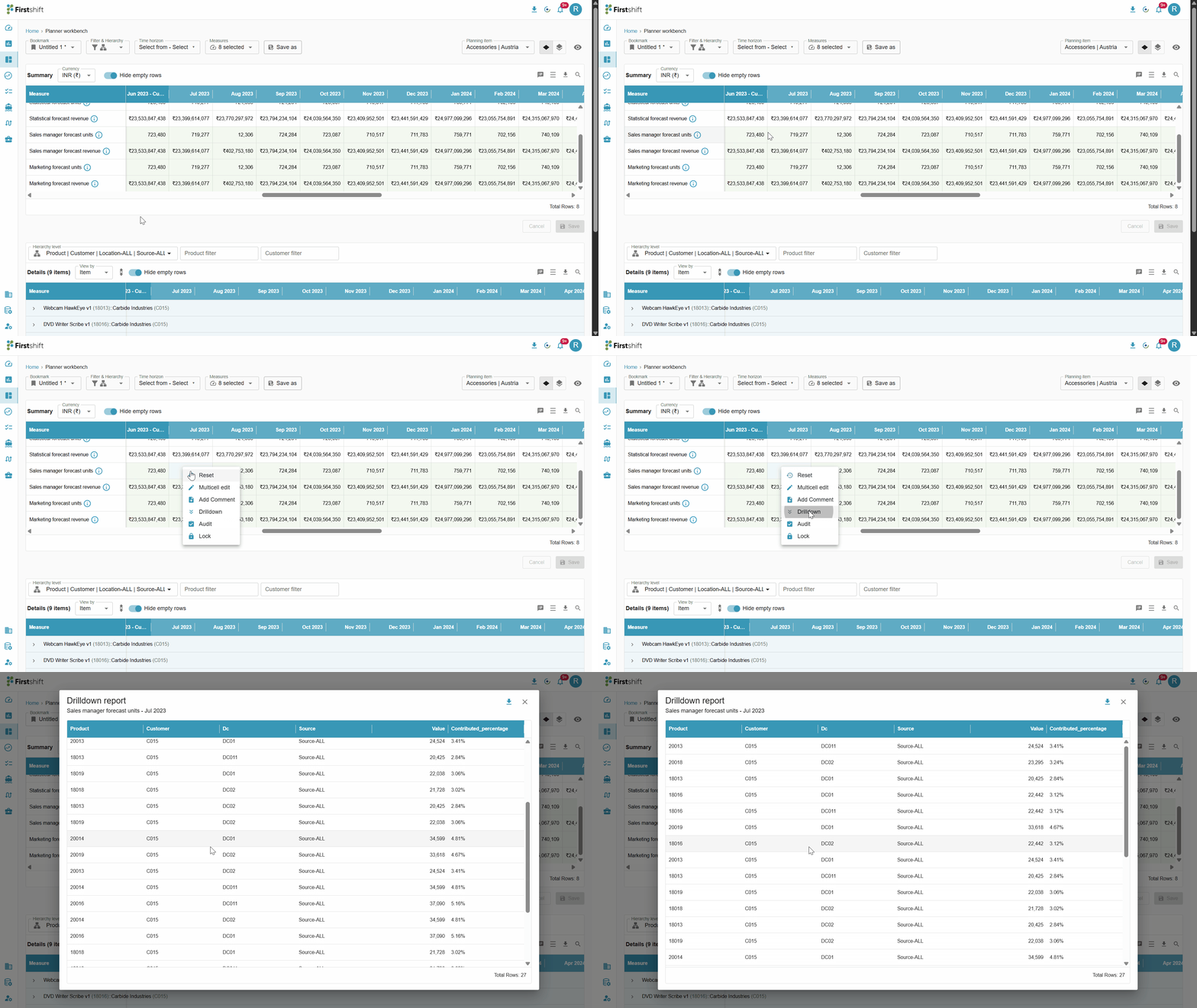
The Drill-down Report provides detailed data disaggregation across different hierarchy levels, including Product, Customer, Location (DC), and Source levels. It displays the value for each level and each cell's contributed percentage, enabling a deeper analysis of the data distribution.
The Drill-down Report varies from one cell to another based on the hierarchical level and attributes associated with each cell. This ensures that the displayed data is relevant and specific to the selected cell.
To access the Drill-down Report, right-click on the desired cell and select the Drill-down option. This will open a pop-up displaying the detailed disaggregation of data based on the cell's attributes and hierarchy levels.
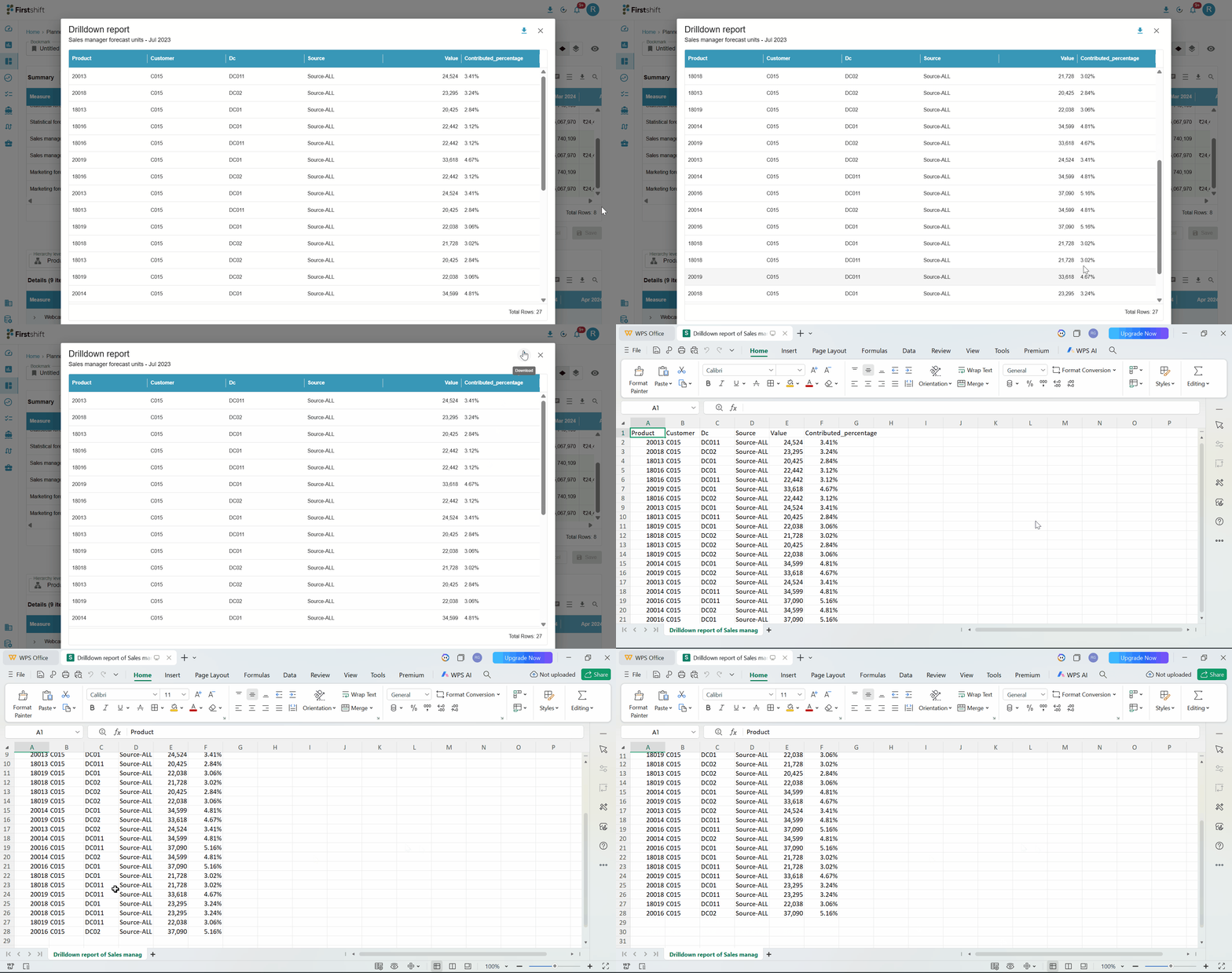
The Drill-down Report can be downloaded if required. To do this, click on the download icon within the Drill-down Report pop-up.
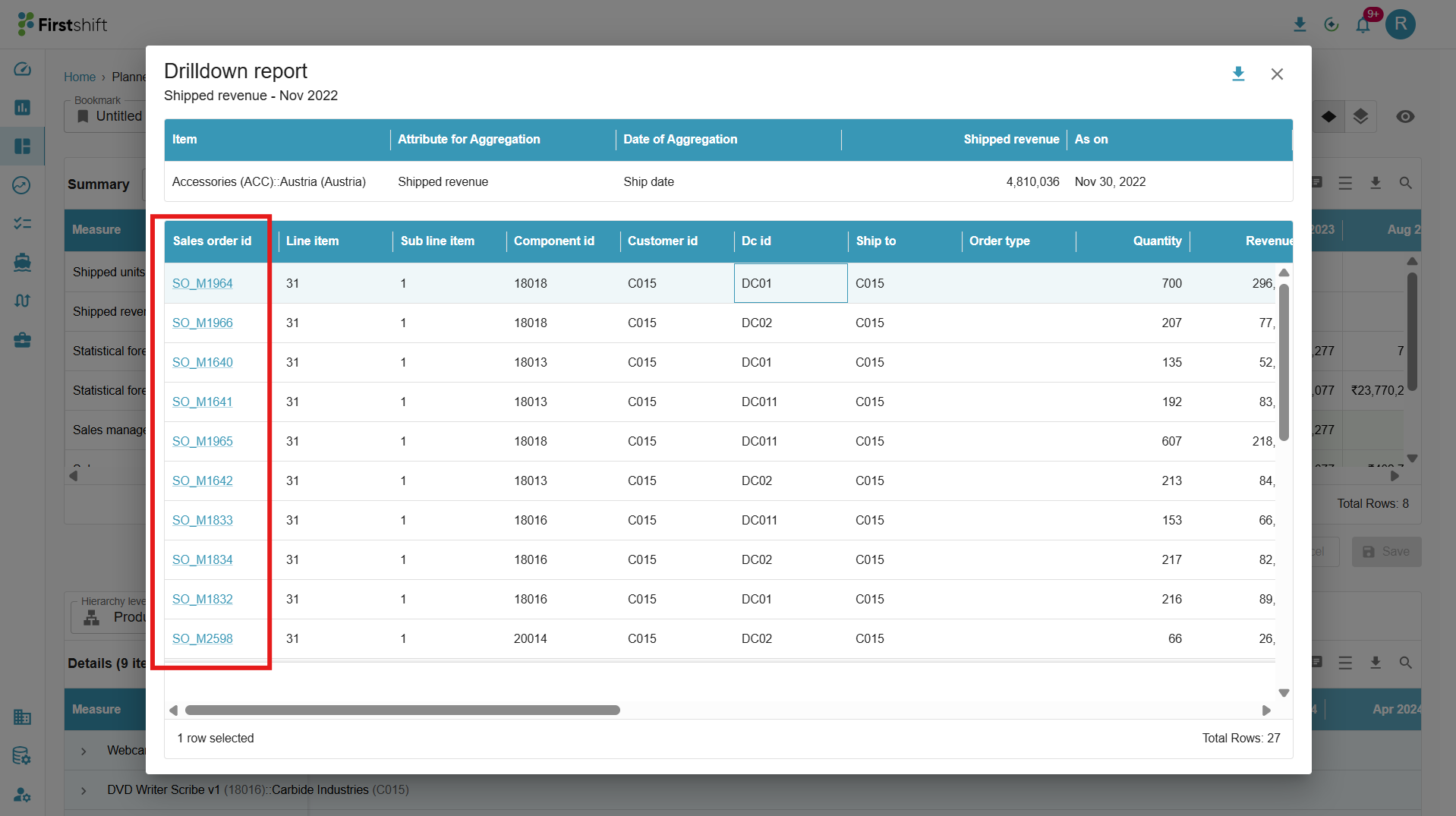
Drill down report for sales order details - shipped revenue, shipped units.
You can access the sales order details from the planning view for the measures shipped revenue and shipped units.
Right-click the cell for shipped revenue or shipped units, then select the drilldown option.
This will open the drilldown report, and further details can be viewed by clicking on the sales order ID.
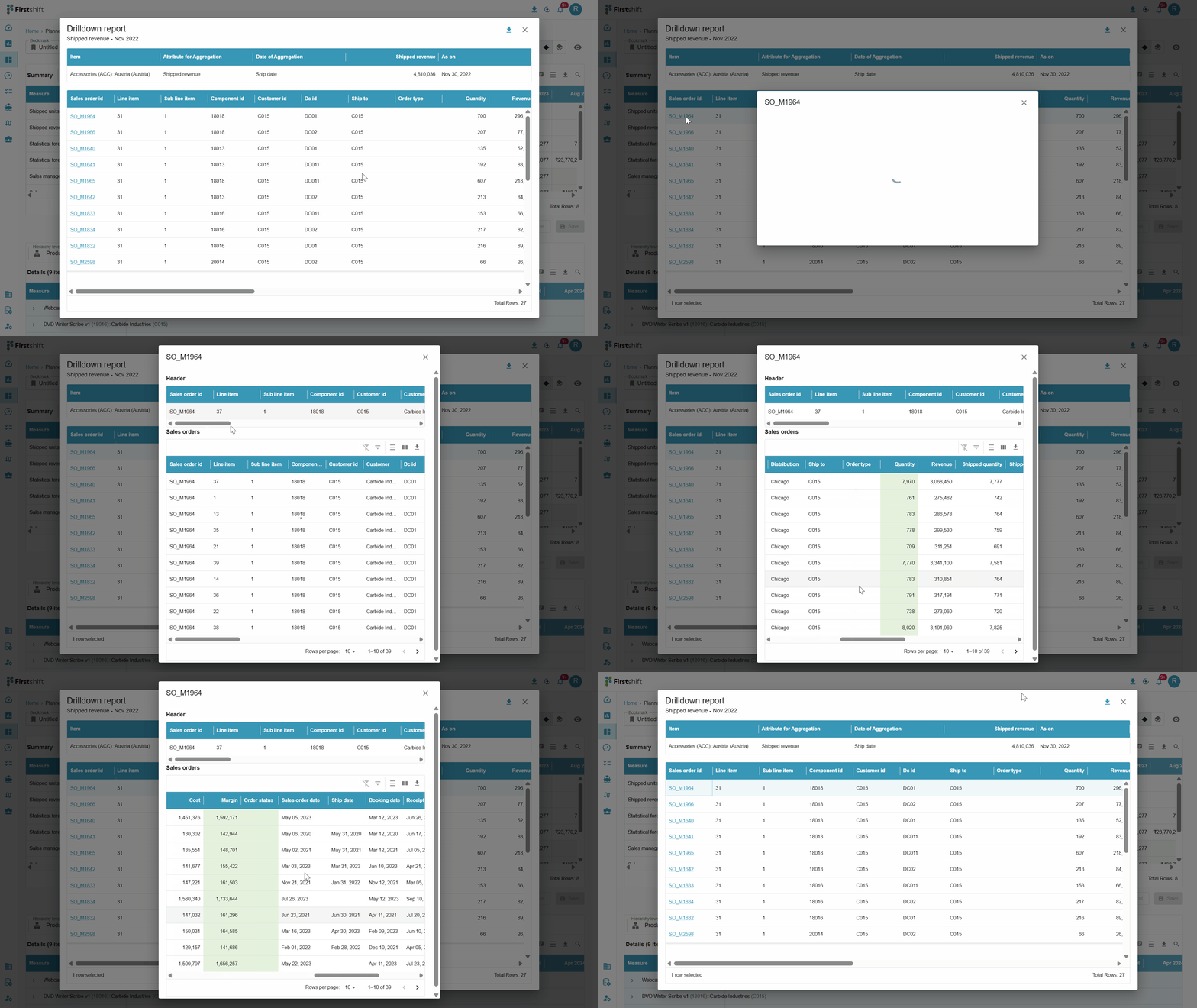
Clicking the Sales Order ID in the drilldown report opens a Sales Order Details prompt that displays detailed information about the selected sales order.
The sales order details prompt highlights the shipped quantity. Also, provide other details, such as transportation mode, shipped revenue, etc.
Was this article helpful?
That’s Great!
Thank you for your feedback
Sorry! We couldn't be helpful
Thank you for your feedback
Feedback sent
We appreciate your effort and will try to fix the article