TABLE OF CONTENTS
Overview
This helps you understand what happens when the cells are locked at an intermediate level.
Lock an intermediate item.
Consider the levels below for easy understanding of the lock at an intermediate level.
Level 1: Higher level (Family: Customer-all: location-all, Source-all)
Level 2: Intermediate level (Product: Region: location-all, Source-all)
Level 3: Low level (Product: Customer: location, Source-all)
When the planner performs a lock at the intermediate level, all lower-level items are automatically locked.
Example: Performing the lock action at the intermediate level (Product: Region: location-all, Source-all).
Consider the product “eTab 1000 V1” and the region “Austria.” Let’s say you have performed a lock for the current period for the measure “Sales forecast units.”
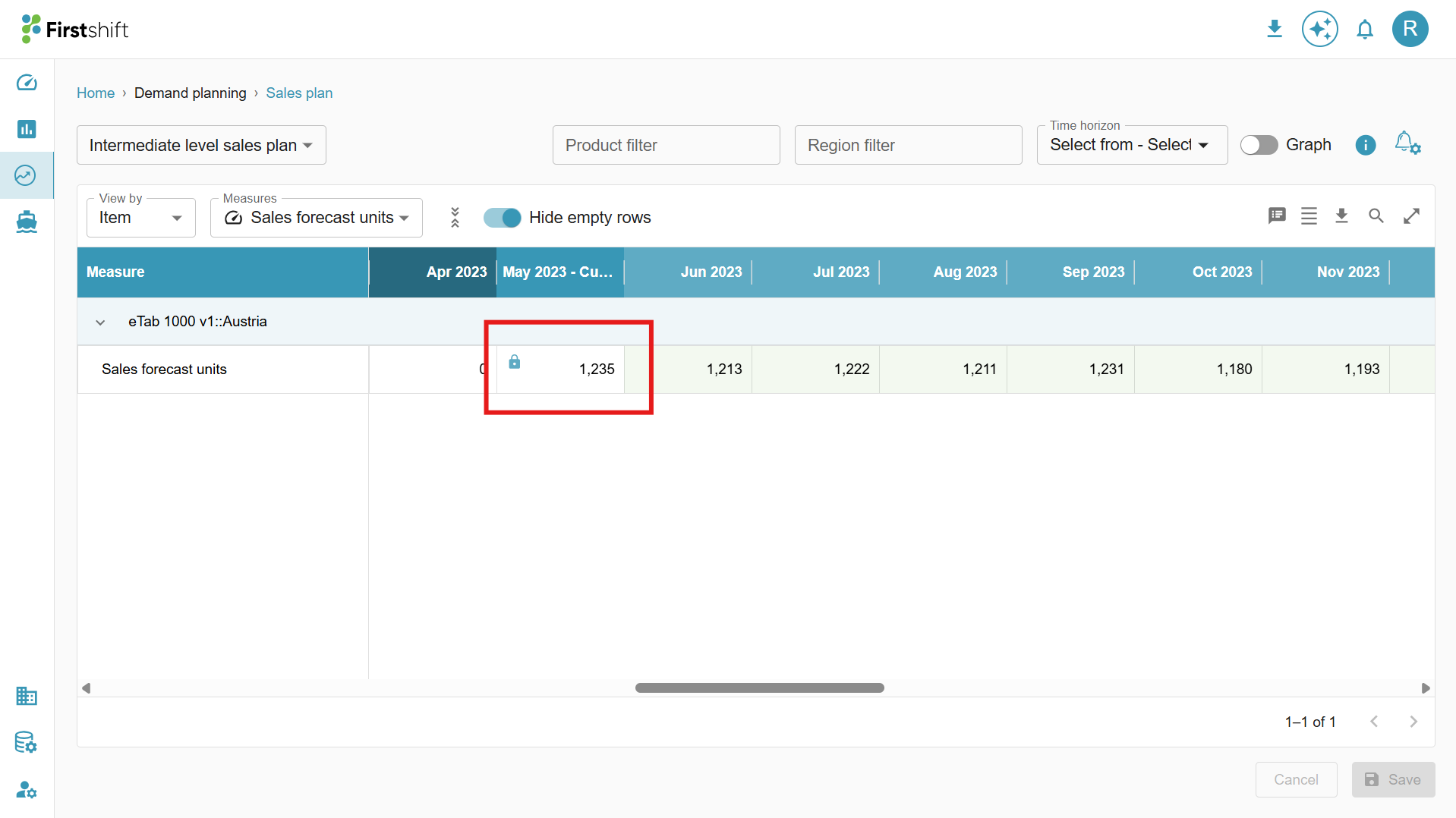
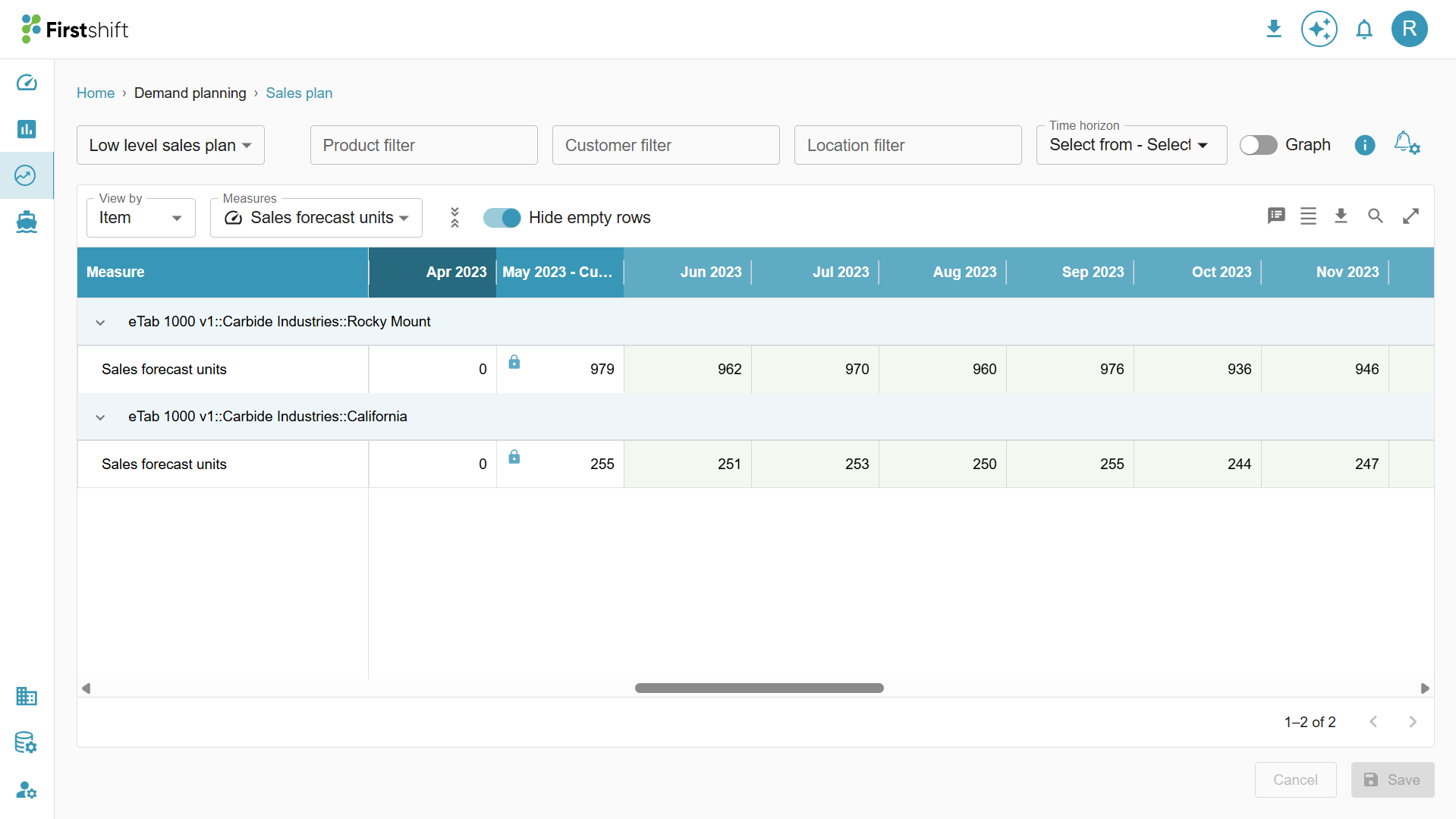
All the lower-level cells belonging to the product “eTab 1000 v1,” the customer belonging to the region “Austria," and the locations belonging to the product and customer will be locked automatically.
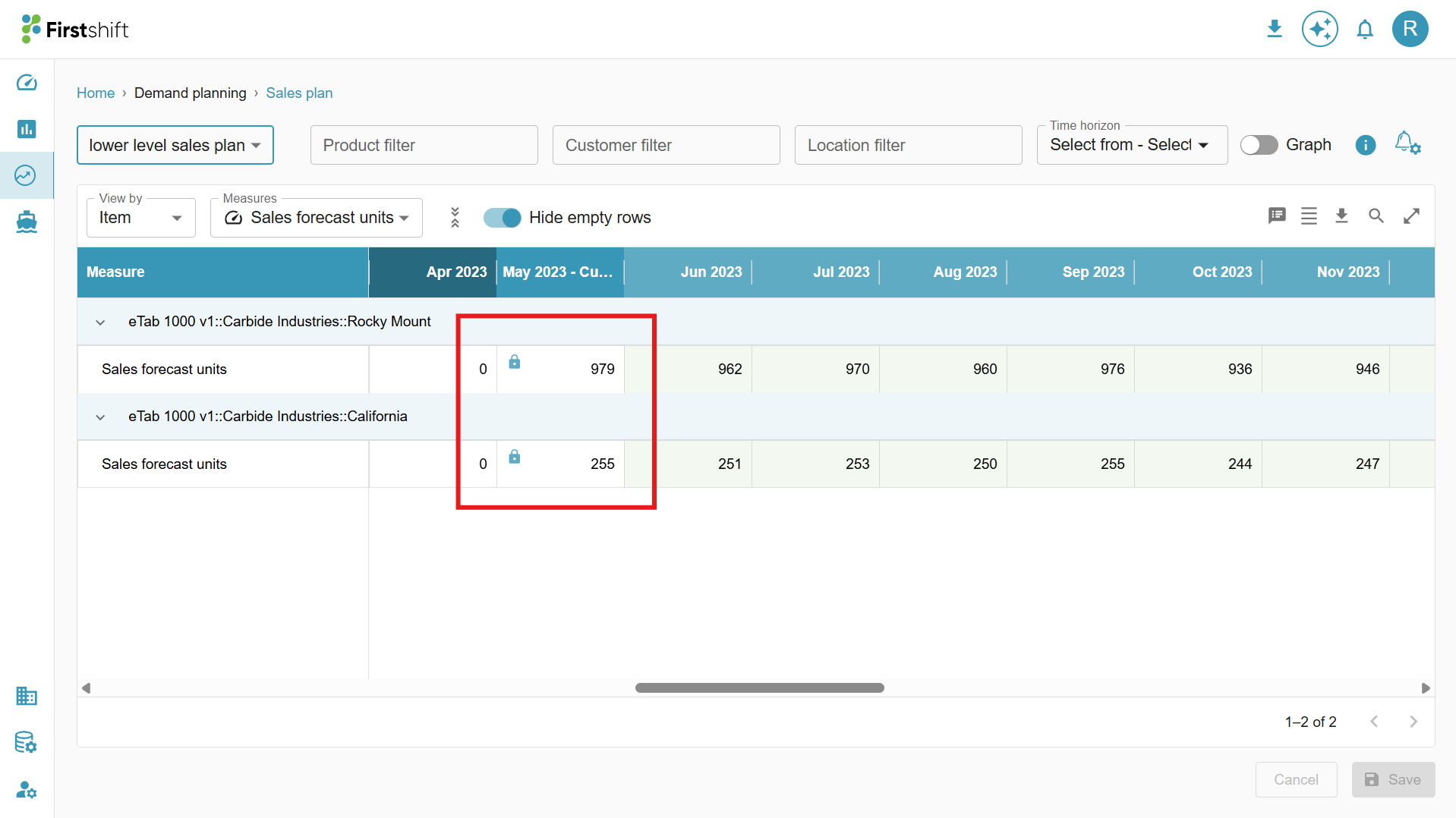
In the example below, the region “Austria” consists of 1 customer “Carbide Industries” and 2 locations “Rocky Mount and California.” Both of them will be locked for editing.
Overrides made at a higher level
- When you override a higher-level setting, such as Family: Customer-all, Location-all, or Source-all, the application will not modify the locked cells at intermediate or lower levels. Only the unlocked items will be updated with the new values.
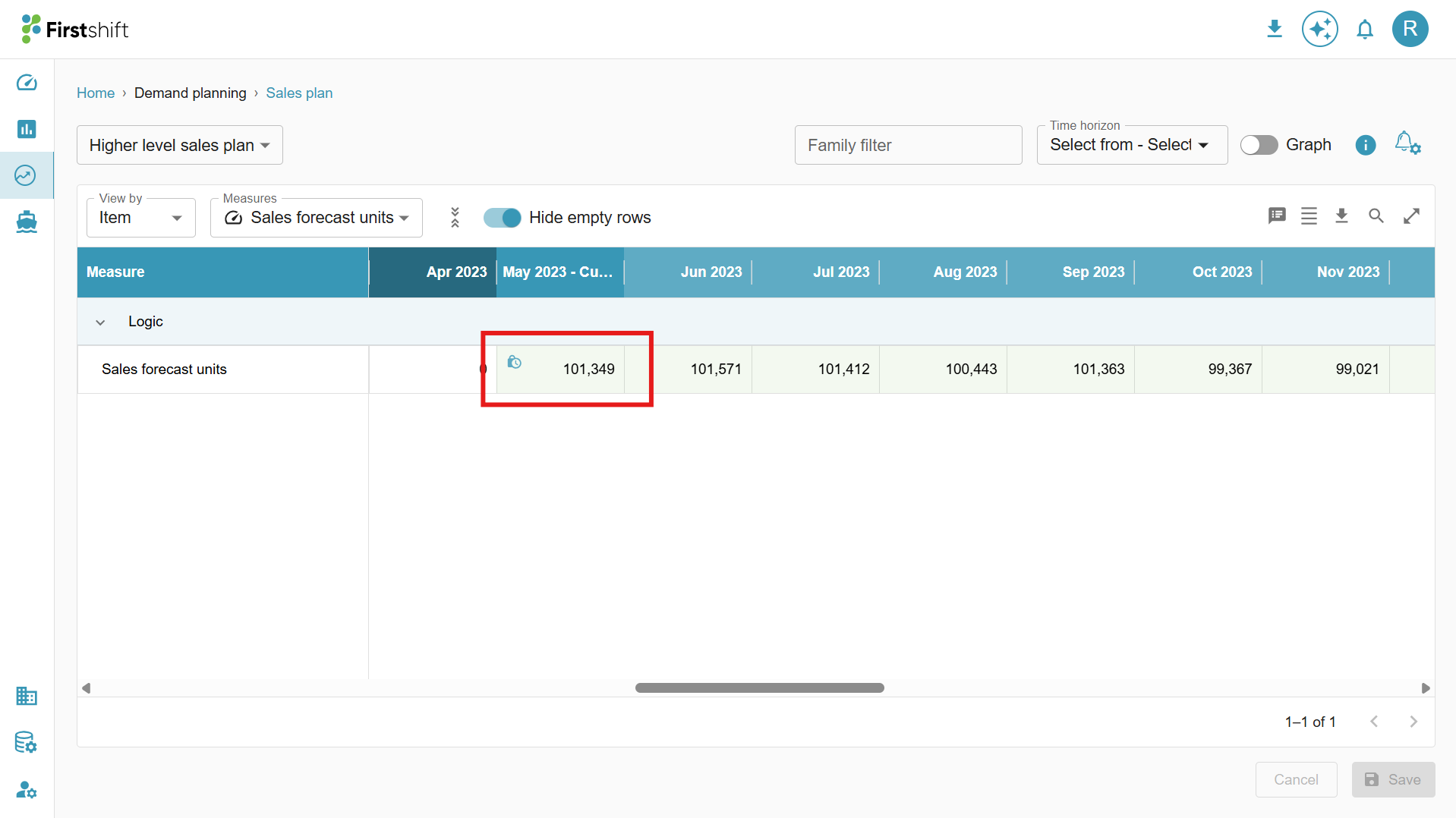
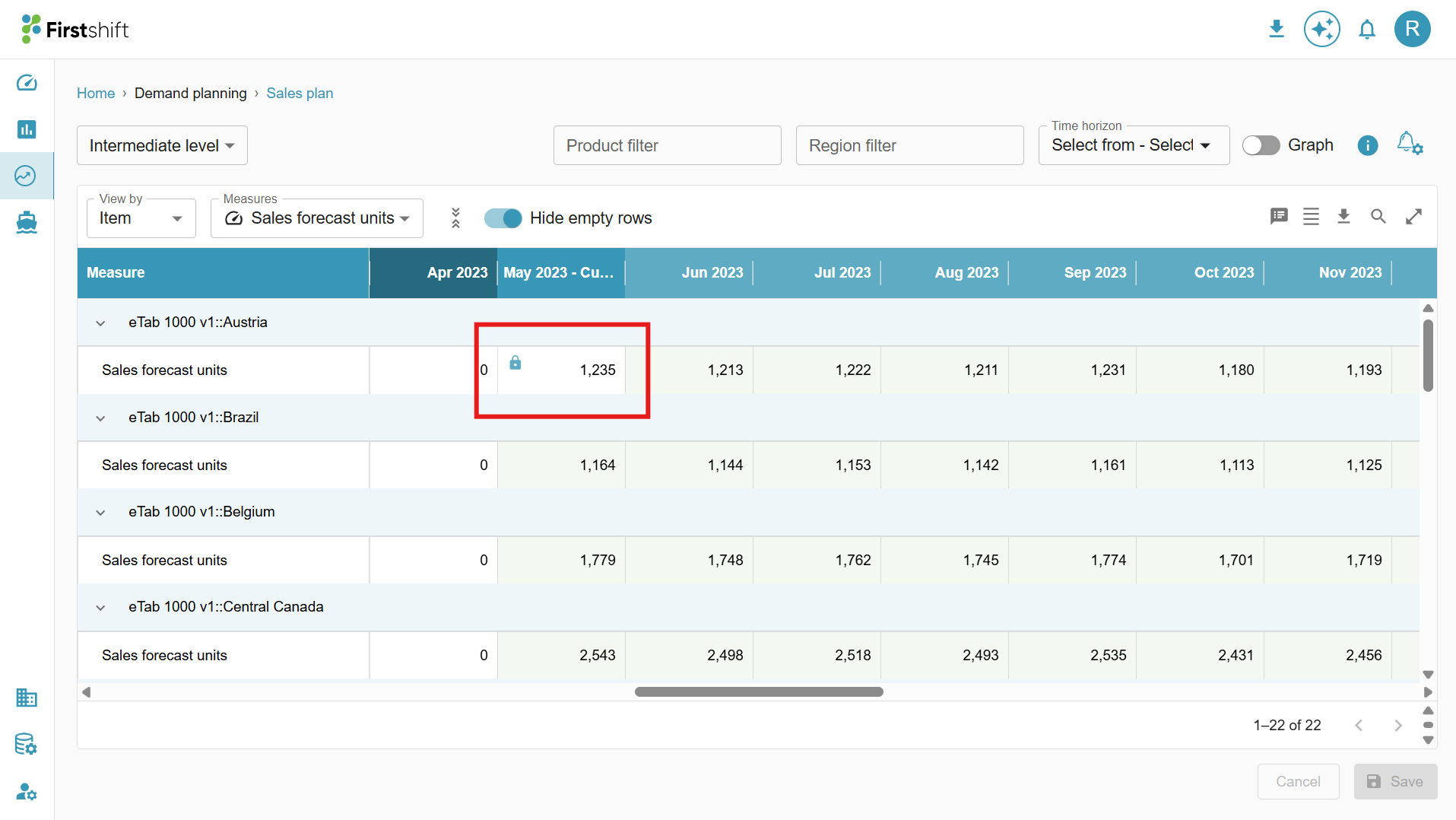
- In the example below, the Family “Logic” is partially locked. However, any overrides made at this level will not affect etab 1000 v1: Austria (Family: region) or etab 1000 v1: Carbide industries (Product: Customer), as all the lower-level items under them are locked.
- The screenshot below shows that a partial lock has been applied to the Logic (which is a family)
- The screenshot below shows full lock has been applied to the etab 1000 v1: Austria, which is an intermediate-level item. (i.e., at the Family: Region)
- The screenshot below shows full lock has been applied to the lowest-level items of the etab 1000 V1: Austria. (i.e., at the Family: Region). The lowest level items contain 2 items at the Product: Customer: Location level
- eTab 1000 v1: Carbide Industries: Rocky Mount and
- eTab 1000 v1: Carbide Industries: California
- Changing the value from 101,349 to 120,000 at a higher level and submitted.
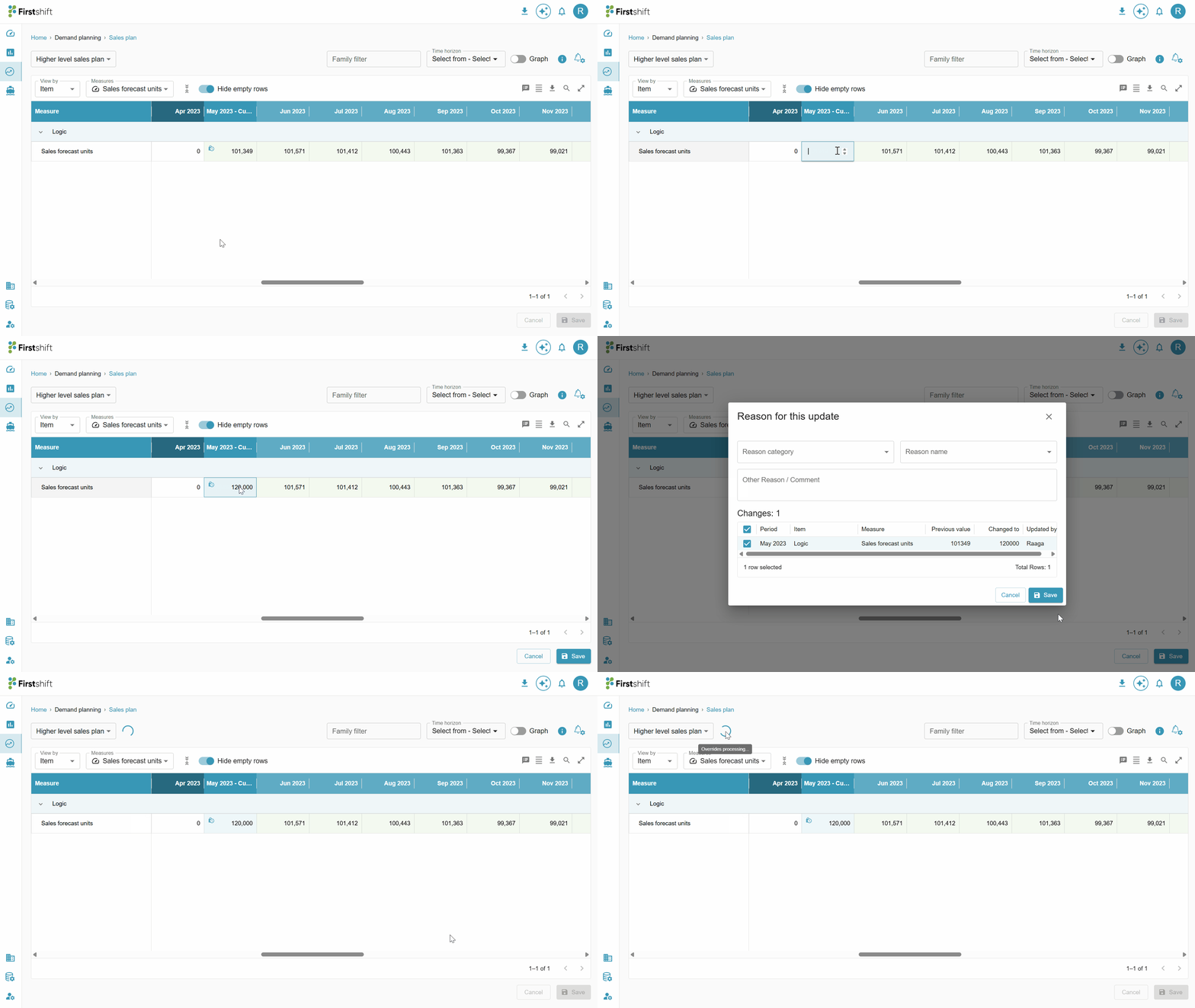
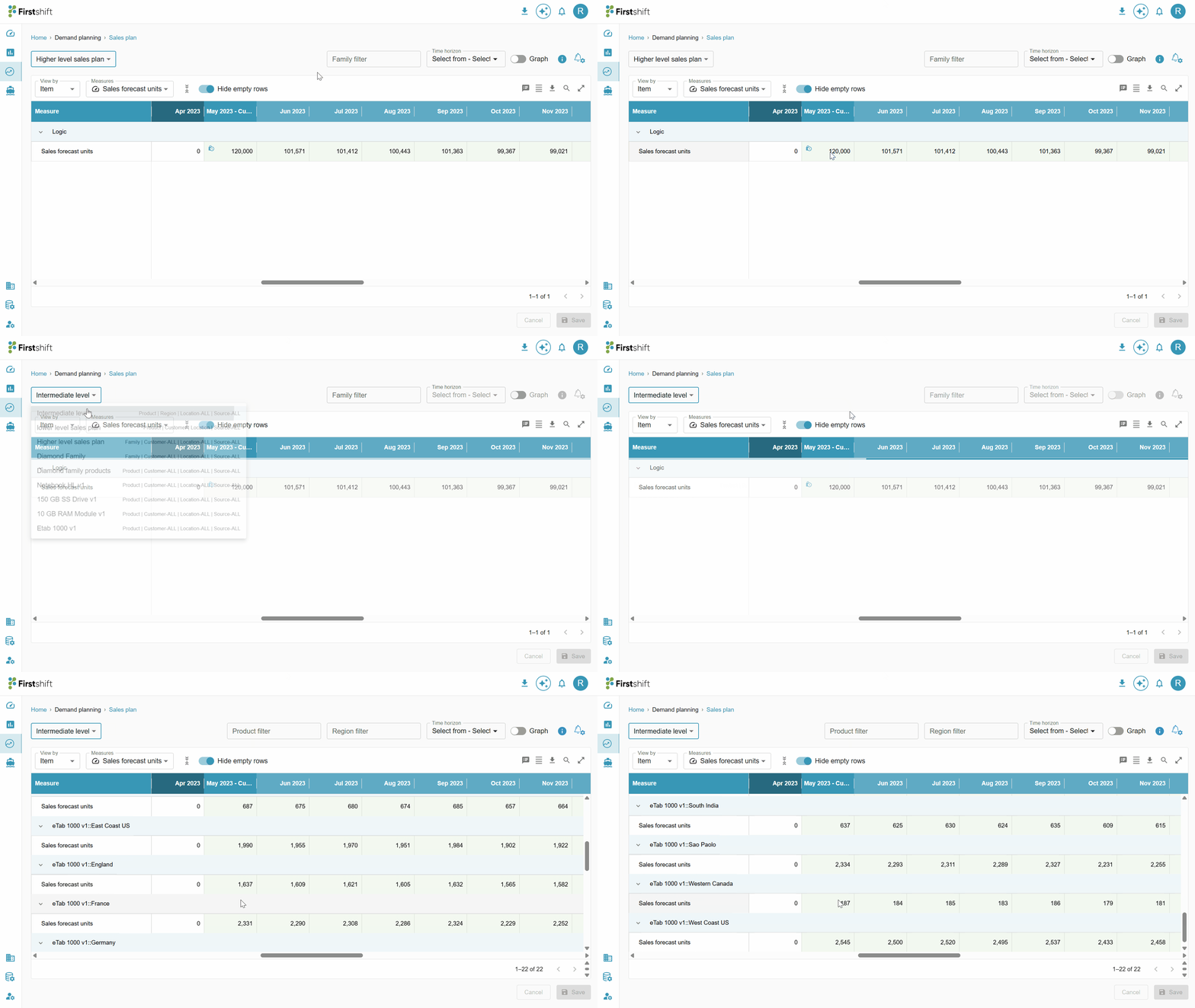
- After successful completion of the overrides process, the intermediate and low-level values will be automatically updated.
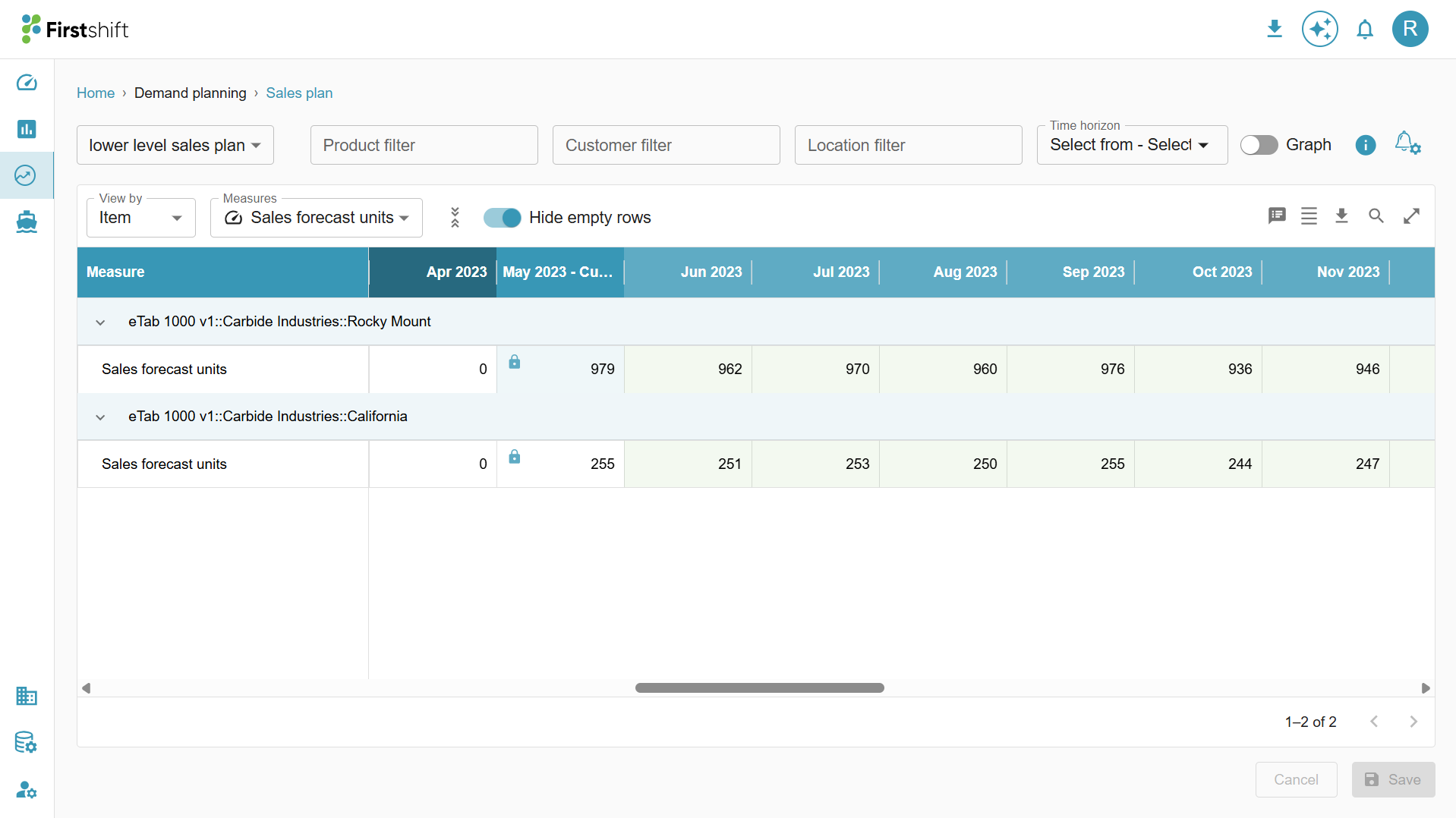
- Notice that the values for the unlocked items have been updated. The locked item “product: eTab 1000 v1 and Region: Austria” value remains unchanged.
- The values in the lower-level locked cell remained unchanged.
Was this article helpful?
That’s Great!
Thank you for your feedback
Sorry! We couldn't be helpful
Thank you for your feedback
Feedback sent
We appreciate your effort and will try to fix the article