TABLE OF CONTENTS
Overview
You can perform the lock action at the lower level, such as individual products or items. When a lock is placed at the lower level, only the selected product(s) or cell(s) are locked. At the same time, the remaining items under the same parent remain editable and available for recalculation.
Steps to perform a lock at the lower level
- The Family = Diamond contains the products: Deskmate 19m v1, Studio JPS 14 v1, Inspiron 821m v1
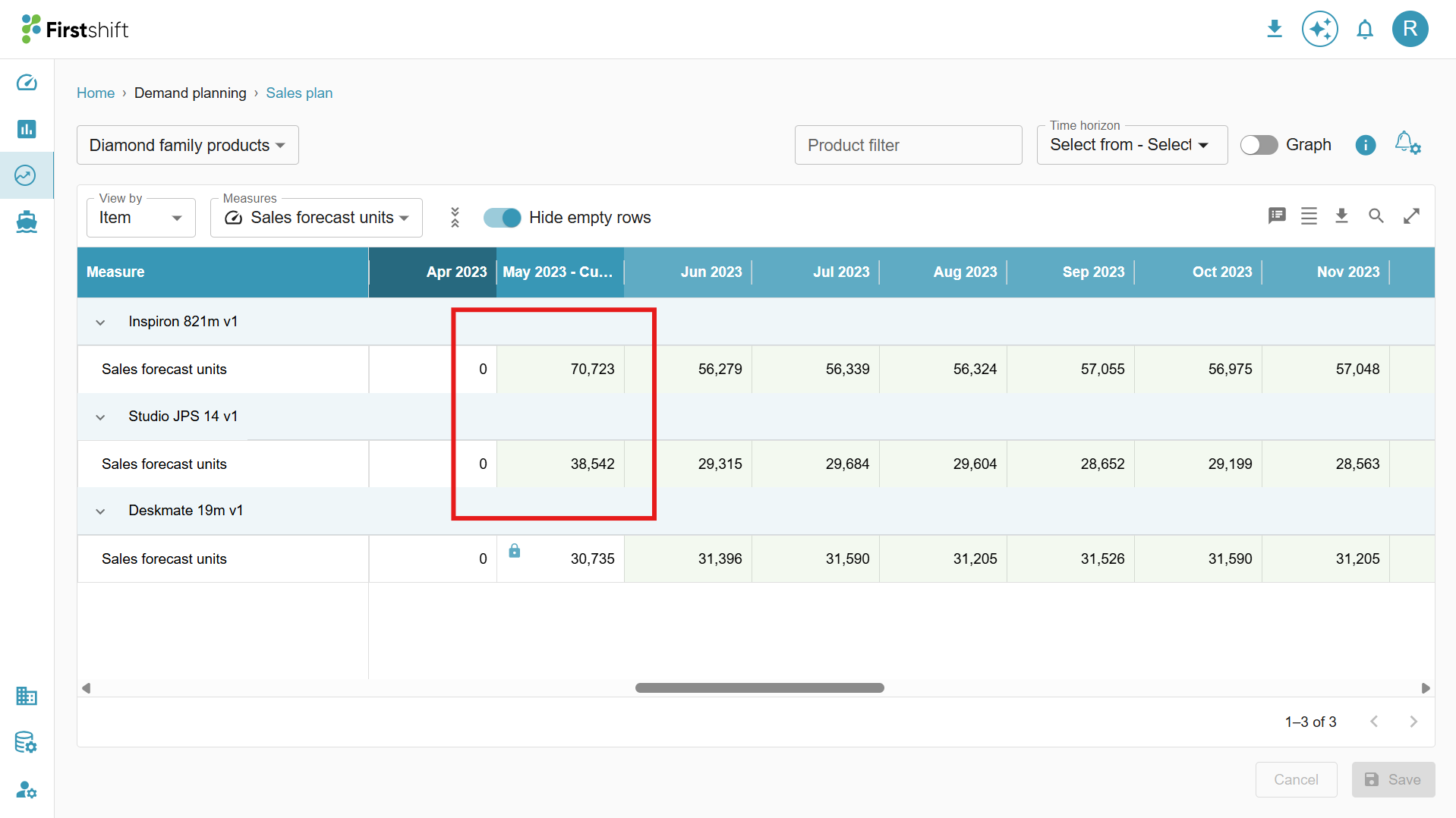
- You applied a lock only on Deskmate 19m v1 at the product level. Only Deskmate 19m v1 is locked. A lock icon is displayed in the grid for the selected cells of this product
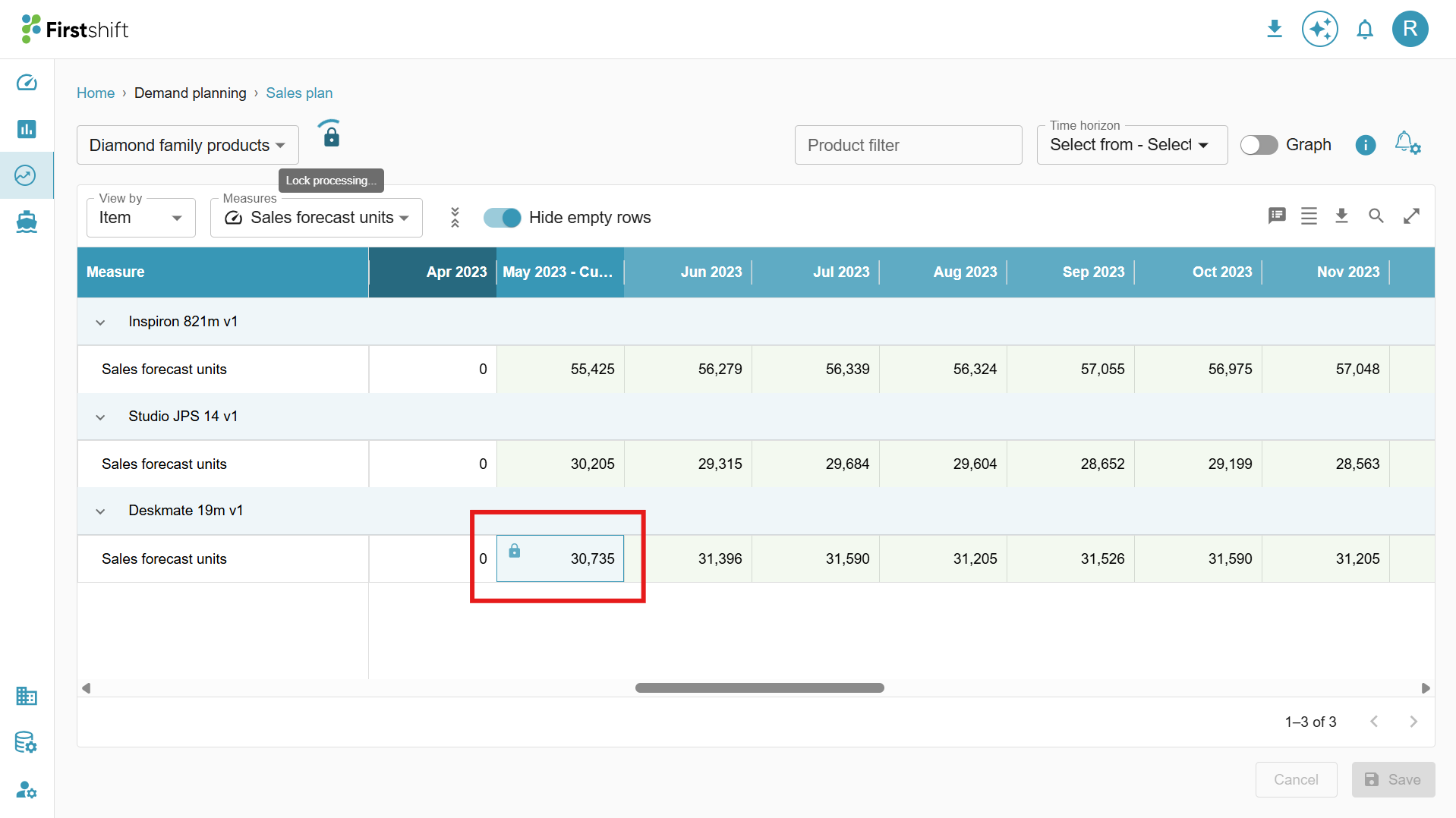
- Studio JPS 14 v1 and Inspiron 821m v1 remain unlocked and can still be edited.
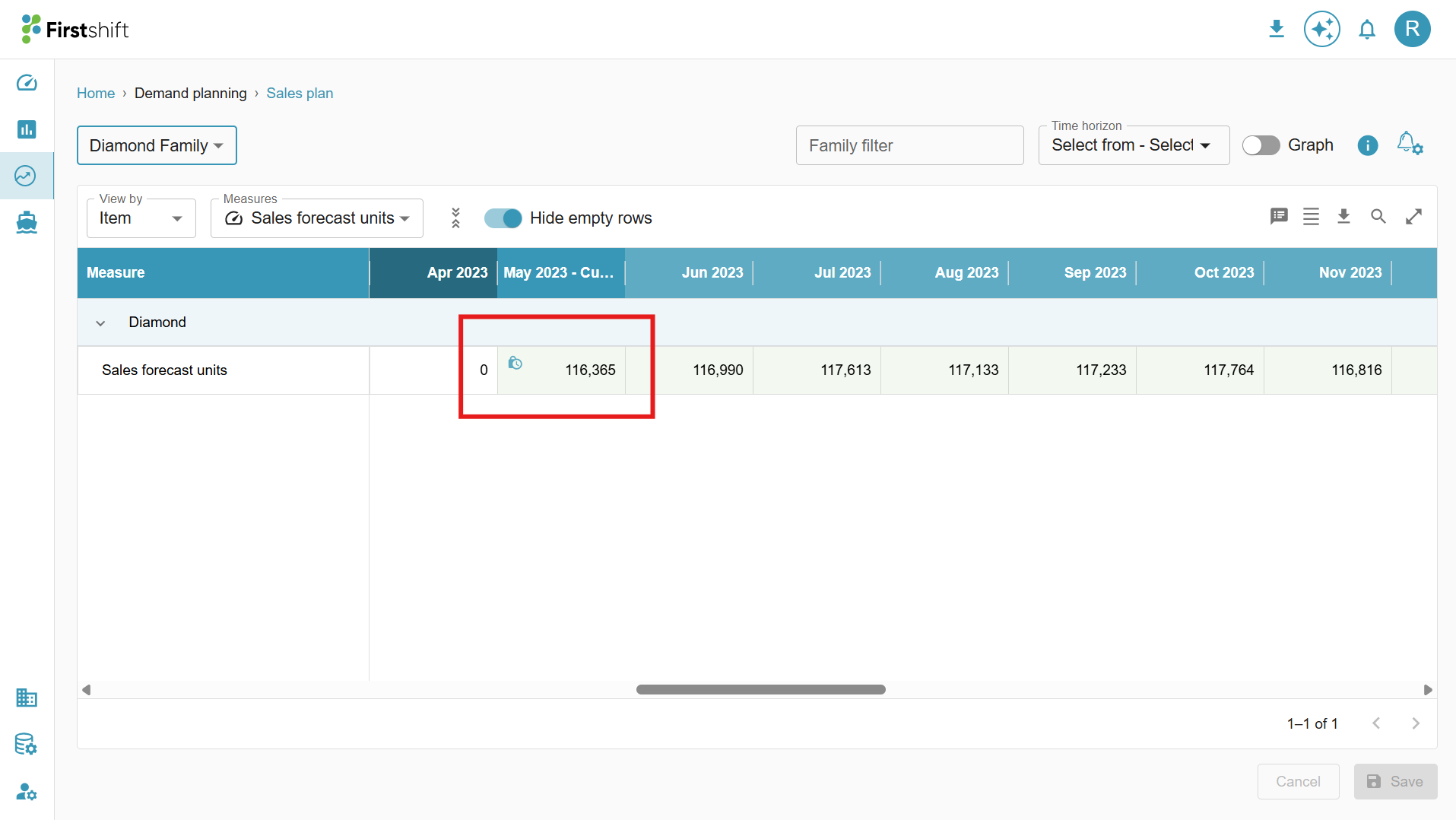
- In this case, the partial lock will be applied to the “Diamond family” selected cell.
- A Partial Lock occurs when only some lower-level items under an aggregate level are locked, while others remain editable. The application reflects this state by showing a Partial Lock icon at the aggregate level. For example, a partial lock in the planning view, “Diamond family.”
- If the overwrites made at the Diamond family level are disaggregated to lower levels. But the locked cell for the product “Deskmate 19m v1” will not get updated.
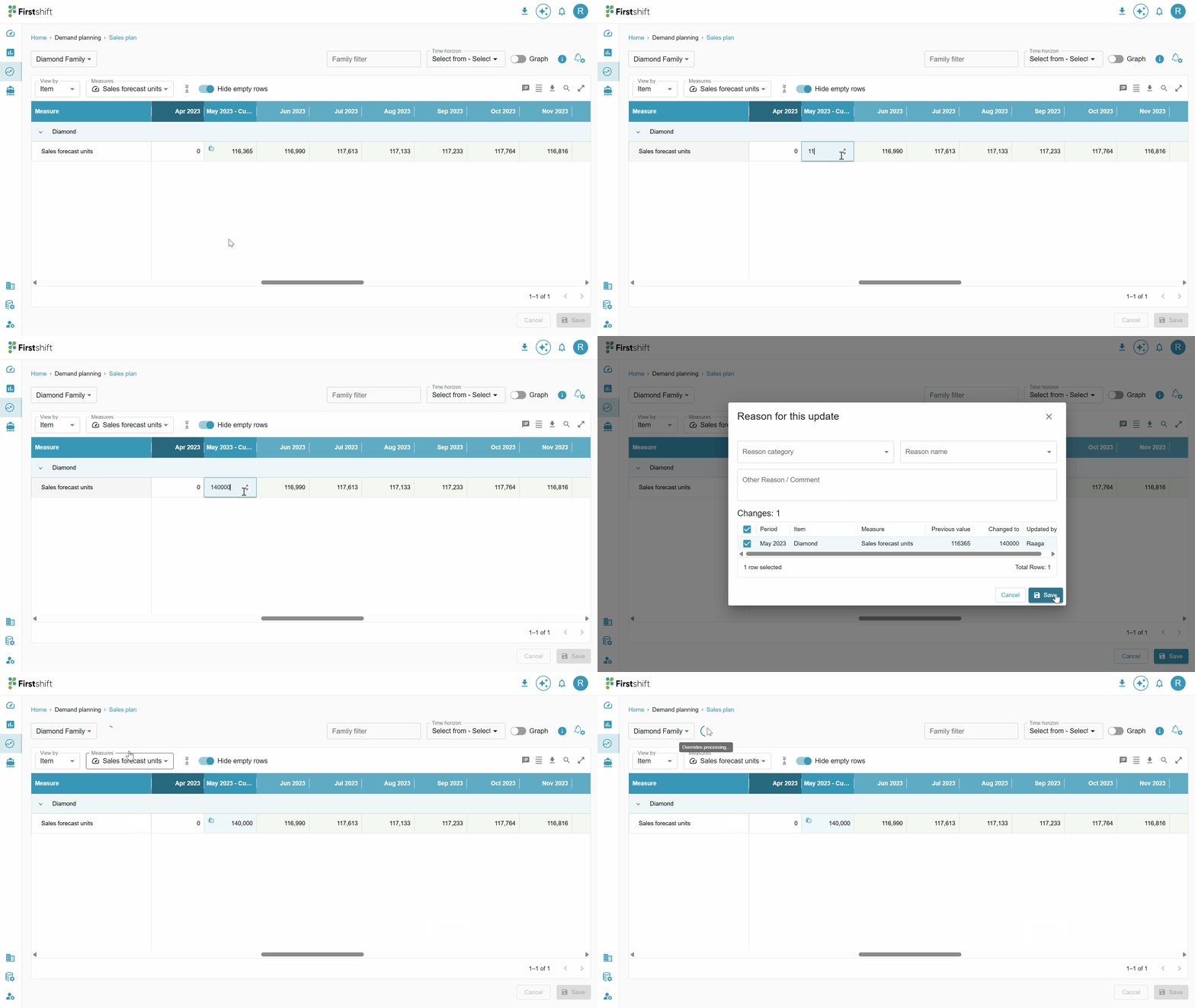
- Now, overwriting the “Sales forecast units” measure value for the “Current period May 2023” from 116,365 to 140,000 at the aggregated level.
- After successful completion of the overwrites action at the aggregated level, the lower-level values will be updated automatically with the new values. But the locked product (Deskmate 19m v1) remains unchanged.
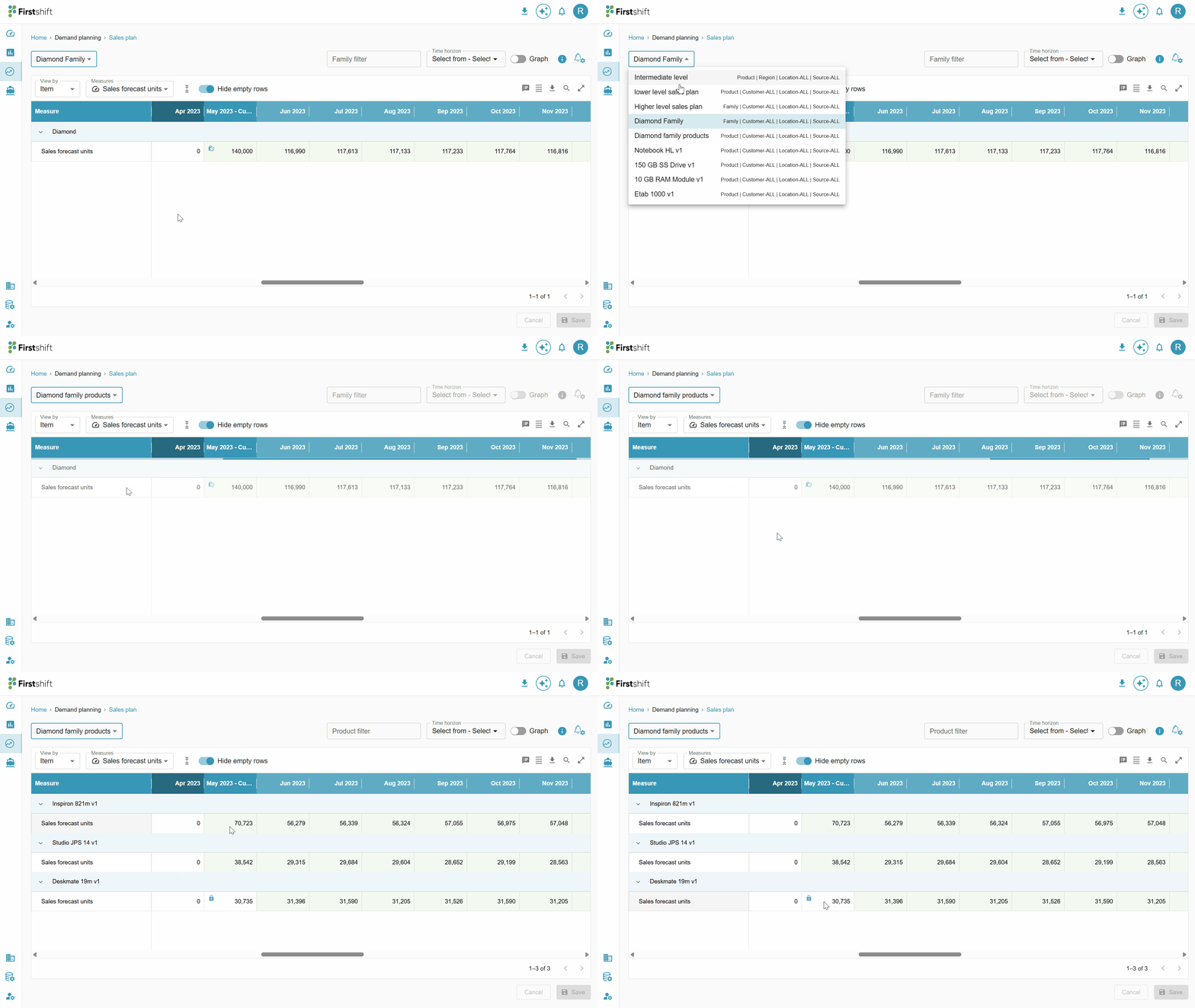
- The remaining unlocked products (Studio JPS 14 v1 and Inspiron 821m v1) are recalculated proportionally to absorb the difference. But the locked item (Deskmate 19m v1) remained unchanged after making overrides at the aggregated level (Diamond family).
Was this article helpful?
That’s Great!
Thank you for your feedback
Sorry! We couldn't be helpful
Thank you for your feedback
Feedback sent
We appreciate your effort and will try to fix the article