TABLE OF CONTENTS
Introduction
This feature helps ensure transparency, supports data validation, and enables users to understand how values have evolved over time, making it easier to analyze changes and maintain data accuracy.
Audit
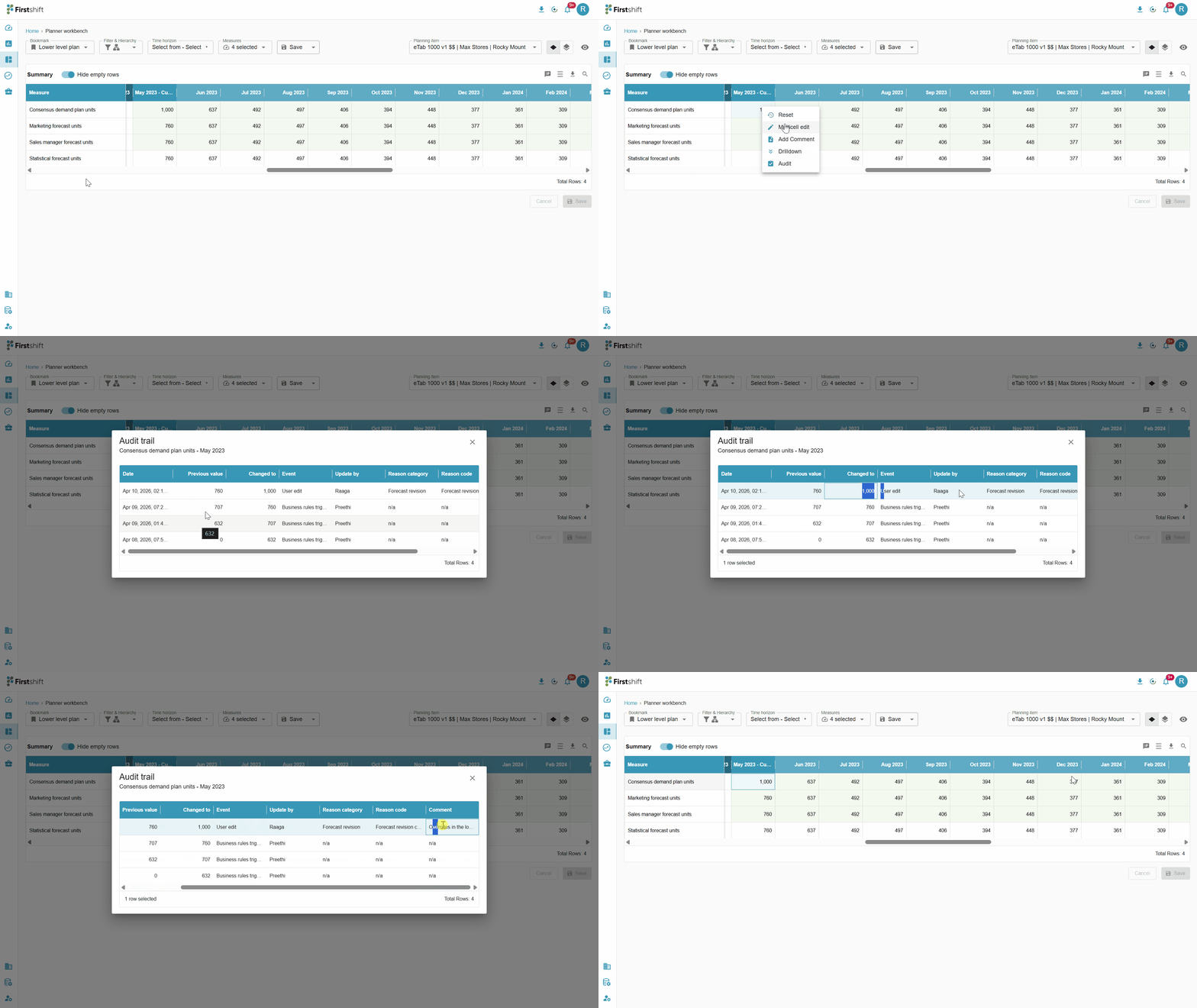
The Audit Trail provides detailed information about the overrides and reset actions performed on a particular cell. It tracks and displays the history of changes, including who made the modifications, when they were made, and the values before and after the changes.
To view the Audit Trail Report for a particular cell, right-click on the cell and select the Audit option from the context menu. This will display a detailed history of all overrides and reset actions associated with that cell.
Was this article helpful?
That’s Great!
Thank you for your feedback
Sorry! We couldn't be helpful
Thank you for your feedback
Feedback sent
We appreciate your effort and will try to fix the article